# Messages

# Sending messages | Developer Documentation

<div id="bkmrk-sending-messagesupda">## Sending messages

<div><span>Updated: Nov 4, 2025</span></div><div>This document describes how to use the API to send messages to WhatsApp users.</div><div id="bkmrk-message-types"><div id="bkmrk-message-types-1"><div>### Message types

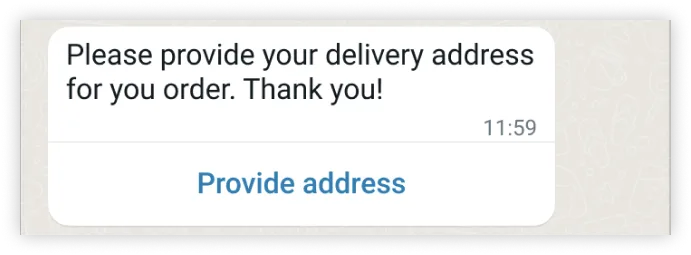
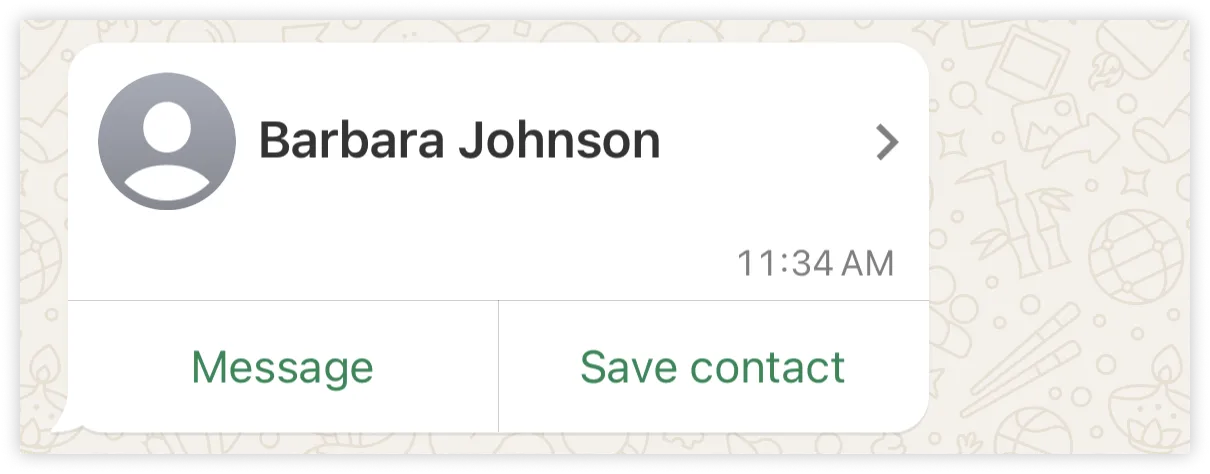
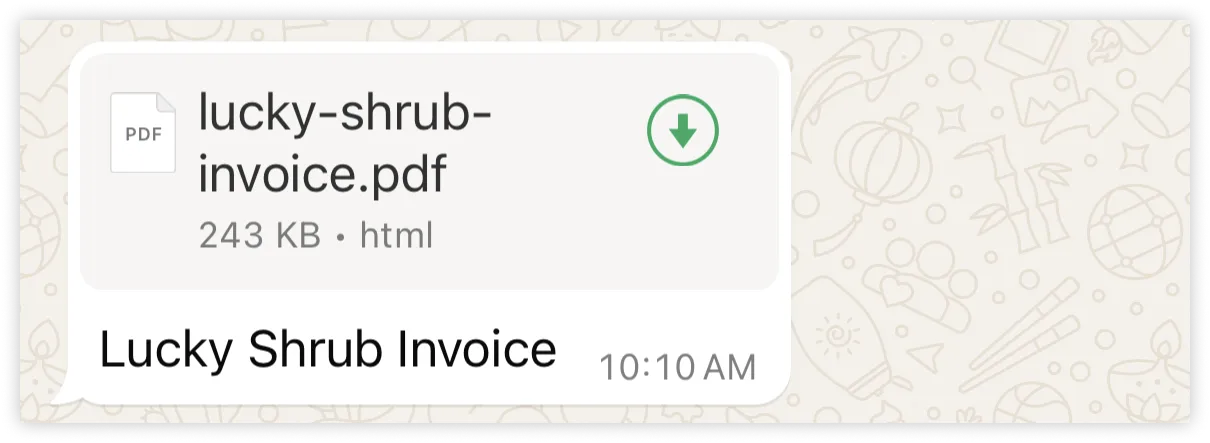
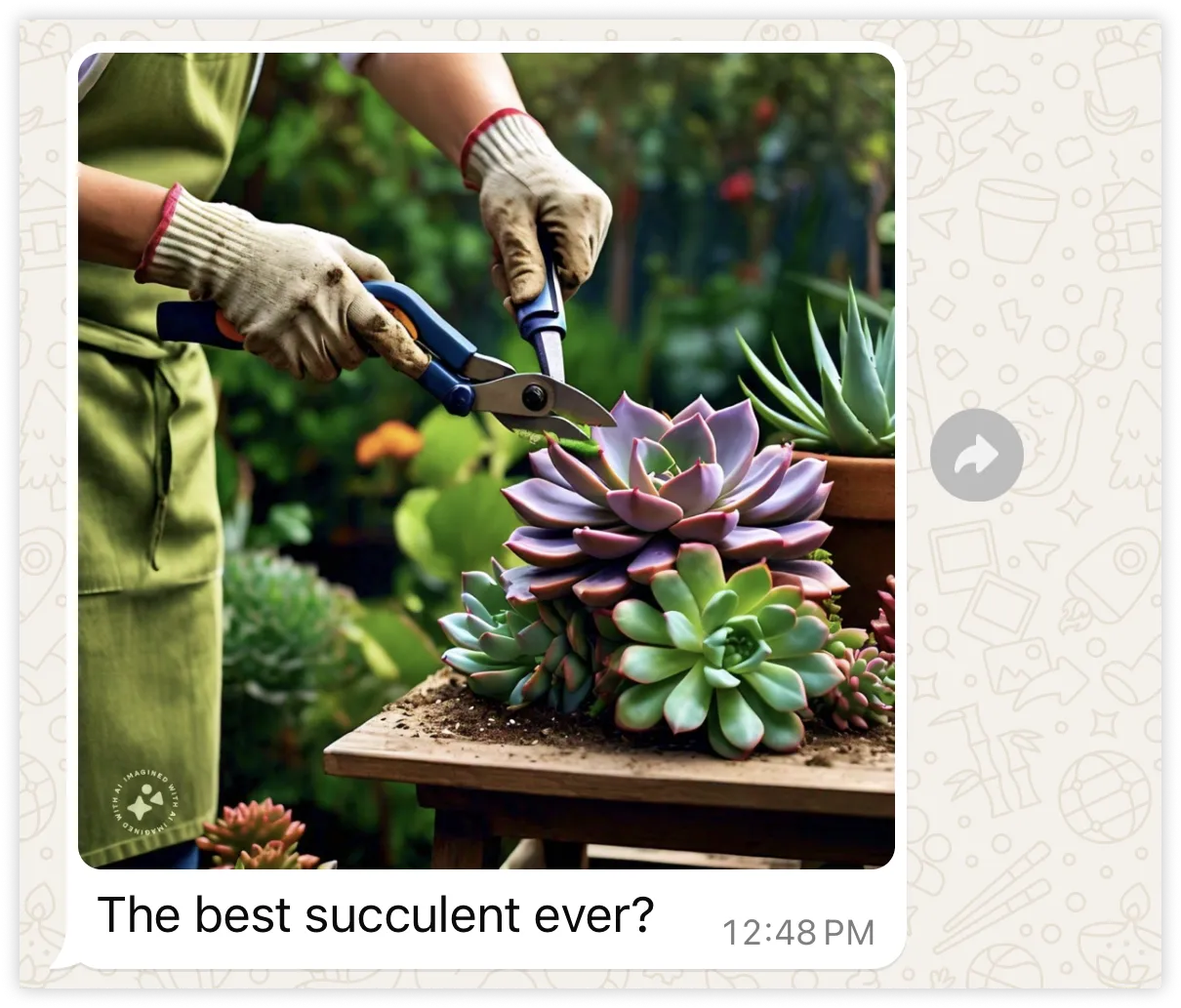
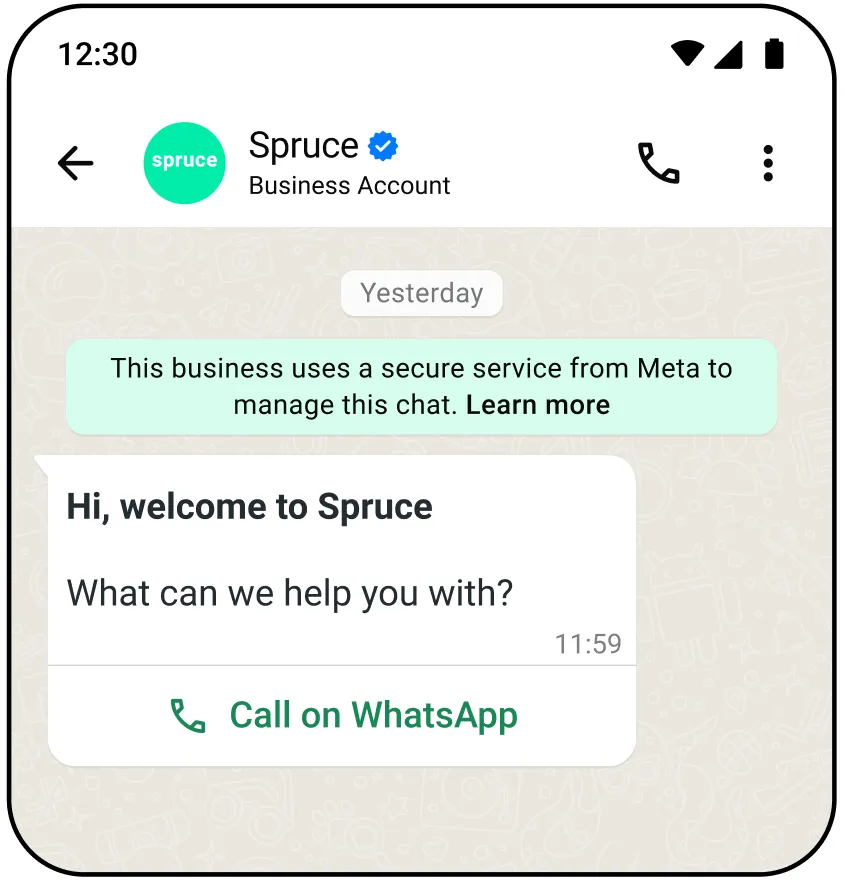
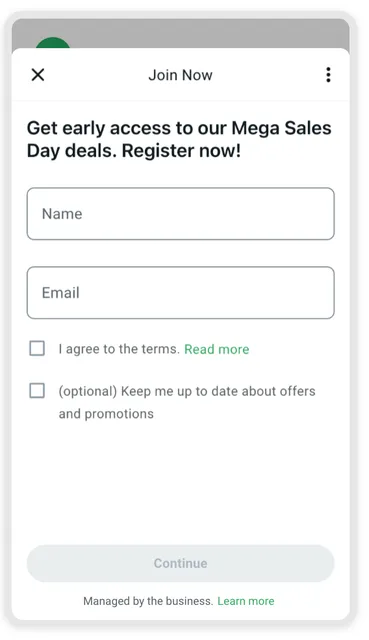
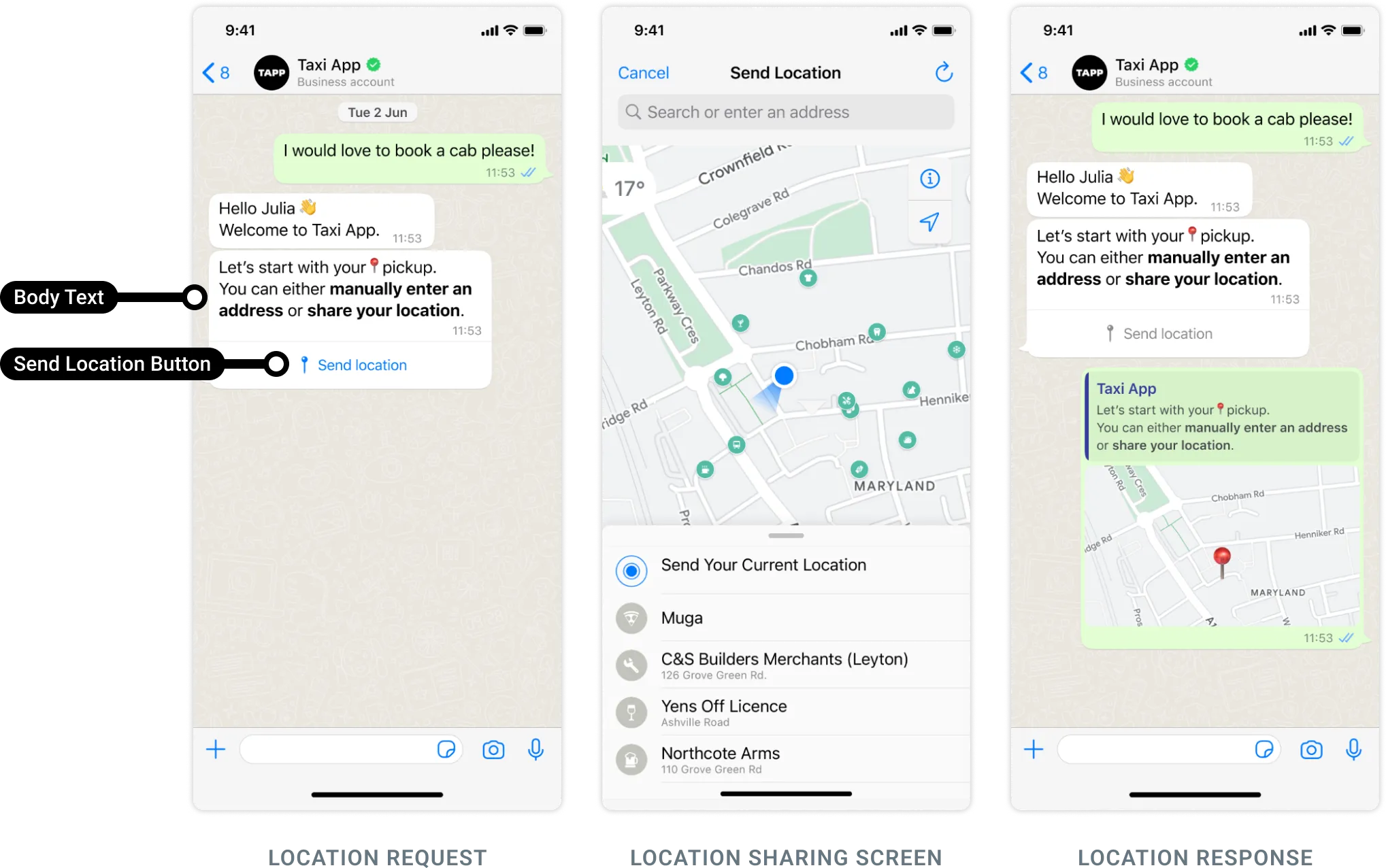
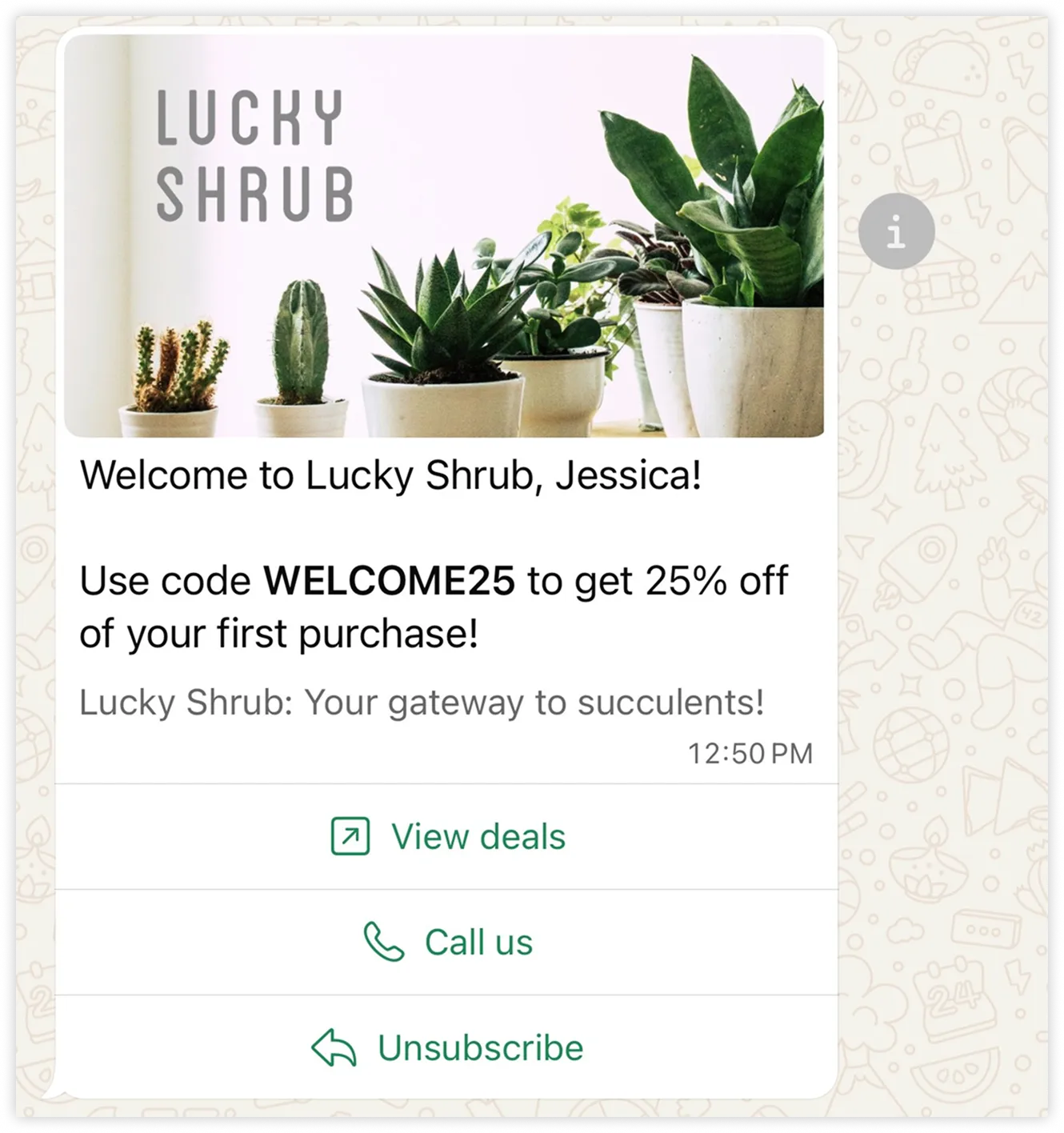
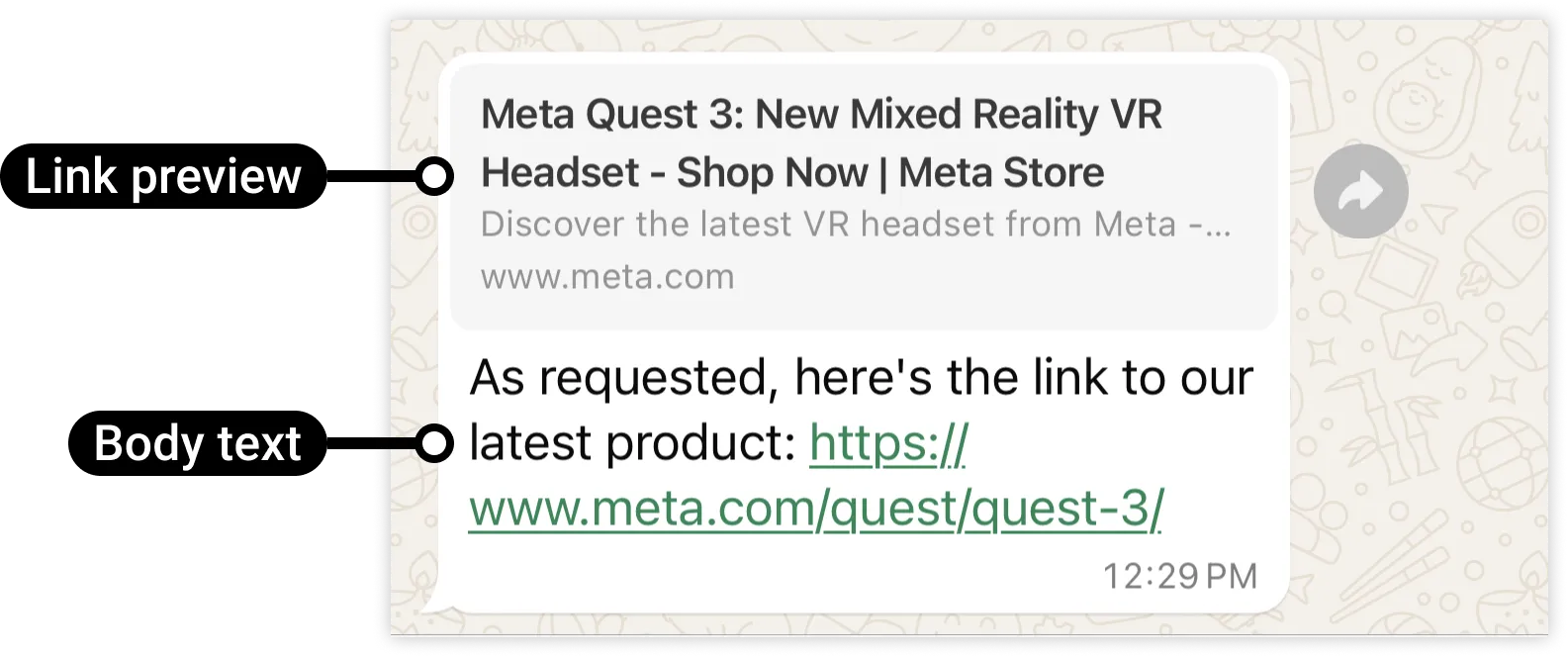
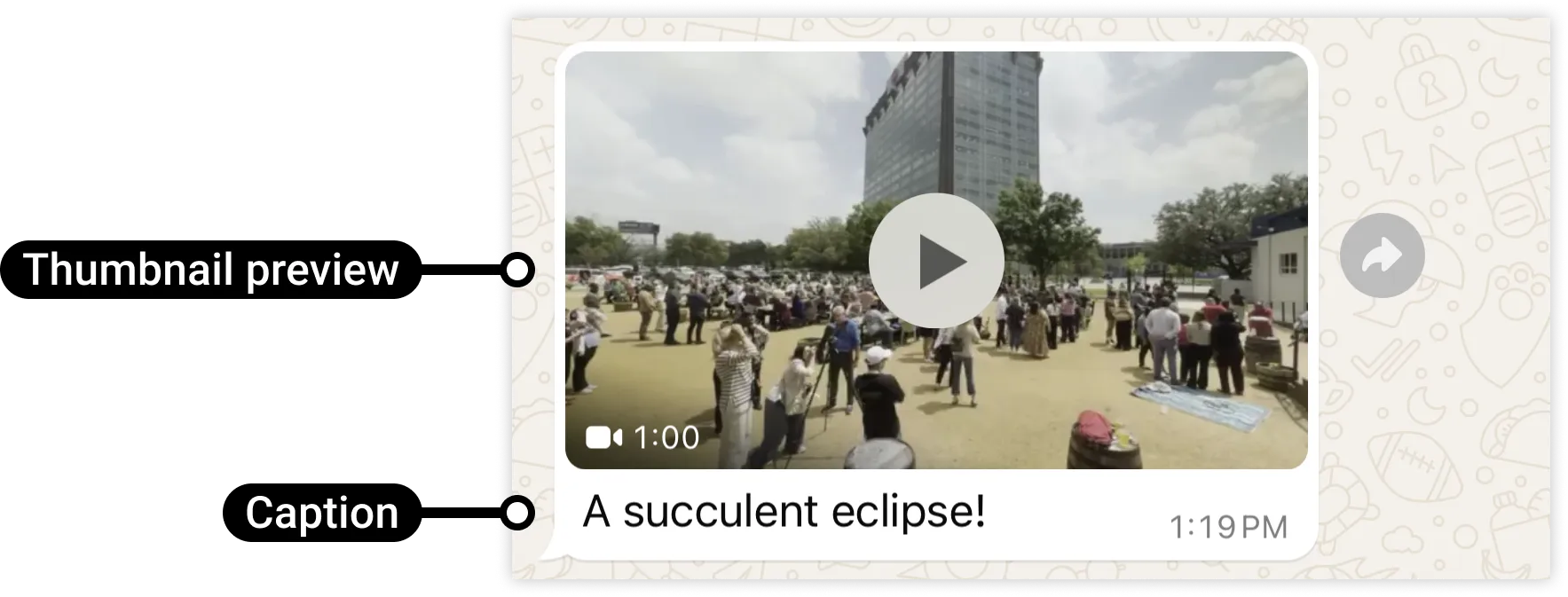
</div></div></div><div>You can use the API to send the following types of messages.</div><div><div><div>[Address messages](/books/meta-whatsapp/page/address-messages-developer-documentation) allow you to easily request a delivery address from WhatsApp users.</div></div><div><div>![](https://support2.chatarchitect.com/uploads/images/gallery/2026-04/embedded-image-aopbpgre.png)</div></div><div><div>[Audio messages](/books/meta-whatsapp/page/audio-messages-developer-documentation) display an audio icon and a link to an audio file. When the WhatsApp user taps the icon, the WhatsApp client loads and plays the audio file.</div></div><div><div>![](https://support2.chatarchitect.com/uploads/images/gallery/2026-04/embedded-image-ri3u0bi6.png)</div></div><div><div>[Contacts messages](/books/meta-whatsapp/page/contacts-messages-developer-documentation) allow you to send rich contact information directly to WhatsApp users, such as names, phone numbers, physical addresses, and email addresses.</div></div><div><div>![](https://support2.chatarchitect.com/uploads/images/gallery/2026-04/embedded-image-nnhkobgd.png)</div></div><div><div>[Document messages](/books/meta-whatsapp/page/document-messages-developer-documentation) display a document icon, linked to a document that a WhatsApp user can tap to download.</div></div><div><div>![](https://support2.chatarchitect.com/uploads/images/gallery/2026-04/embedded-image-syti7mse.png)</div></div><div><div>[Image messages](/books/meta-whatsapp/page/image-messages-developer-documentation) display a single image and an optional caption.</div></div><div><div>![](https://support2.chatarchitect.com/uploads/images/gallery/2026-04/embedded-image-xii9qvqo.png)</div></div><div><div>[Interactive CTA URL button messages](/books/meta-whatsapp/page/interactive-call-to-action-url-button-messages-developer-documentation) allow you to map any URL to a button, so you don’t have to include lengthy or obscure raw URLs in the message body.</div></div><div><div>![](https://support2.chatarchitect.com/uploads/images/gallery/2026-04/embedded-image-mh3foiva.png)</div></div><div><div>[Interactive voice call messages](/books/meta-whatsapp/page/send-whatsapp-call-button-messages-and-deep-links-developer-documentation) allow you to trigger WhatsApp call from users.</div></div><div><div>![](https://support2.chatarchitect.com/uploads/images/gallery/2026-04/embedded-image-zf2vot5x.jpeg)</div></div><div><div>[Interactive Flow messages](https://developers.facebook.com/docs/whatsapp/cloud-api/messages/interactive-flow-messages) allow you to send structured messages that are more natural or comfortable for your customers. For example, you can use WhatsApp Flows to book appointments, browse products, collect customer feedback, get new sales leads, or anything else.</div><div>Interactive Flow messages are documented in our [WhatsApp Flows](https://developers.facebook.com/docs/whatsapp/flows) documentation set.</div></div><div><div>![](https://support2.chatarchitect.com/uploads/images/gallery/2026-04/embedded-image-pof4wy0c.png)</div></div><div><div>[Interactive list messages](/books/meta-whatsapp/page/interactive-list-messages-developer-documentation) allow you to present WhatsApp users with a list of options to choose from.</div></div><div><div>![](https://support2.chatarchitect.com/uploads/images/gallery/2026-04/embedded-image-ou9gkk7w.png)</div></div><div><div>[Interactive location request messages](/books/meta-whatsapp/page/location-request-messages-developer-documentation) display body text and a send location button. When a WhatsApp user taps the button, a location sharing screen appears which the user can use to share their location.</div></div><div><div>![](https://support2.chatarchitect.com/uploads/images/gallery/2026-04/embedded-image-g9fthb4i.png)</div></div><div><div>[Interactive reply buttons](/documentation/business-messaging/whatsapp/messages/interactive-reply-buttons-messages) messages allow you to send up to three predefined replies for users to choose from.</div></div><div><div>![](https://support2.chatarchitect.com/uploads/images/gallery/2026-04/embedded-image-gzvy3dcn.png)</div></div><div><div>[Location messages](/books/meta-whatsapp/page/location-messages-developer-documentation) allow you to send a location’s latitude and longitude coordinates to a WhatsApp user.</div></div><div><div>![](https://support2.chatarchitect.com/uploads/images/gallery/2026-04/embedded-image-tadkhcjs.png)</div></div><div><div>[Sticker messages](/documentation/business-messaging/whatsapp/messages/sticker-messages) display animated or static sticker images in a WhatsApp message.</div></div><div><div>![](https://support2.chatarchitect.com/uploads/images/gallery/2026-04/embedded-image-qmhvi20t.png)</div></div><div><div>[Text messages](/books/meta-whatsapp/page/text-messages-developer-documentation) are messages containing only a text body and an optional link preview.</div></div><div><div>![](https://support2.chatarchitect.com/uploads/images/gallery/2026-04/embedded-image-bfpaxm90.png)</div></div><div><div>[Template messages](/books/meta-whatsapp/page/template-messages-developer-documentation) allow you to send marketing, utility, and authentication templates to WhatsApp users. Unlike all other message types, template messages do not require a 24-hour customer service window to be open between you and the message recipient before the message can be sent.</div></div><div><div>![](https://support2.chatarchitect.com/uploads/images/gallery/2026-04/embedded-image-wxalrtxm.png)</div></div><div><div>[Video messages](/books/meta-whatsapp/page/video-messages-developer-documentation) display a thumbnail preview of a video image with an optional caption. When the WhatsApp user taps the preview, it loads the video and displays it to the user.</div></div><div><div>![](https://support2.chatarchitect.com/uploads/images/gallery/2026-04/embedded-image-vzg1pgn4.png)</div></div><div><div>[Reaction messages](/books/meta-whatsapp/page/reaction-messages-developer-documentation) are emoji-reactions that you can apply to a previous WhatsApp user message that you have received.</div></div><div><div>![](https://support2.chatarchitect.com/uploads/images/gallery/2026-04/embedded-image-rokknoyk.png)</div></div></div><div id="bkmrk-message-quality"><div id="bkmrk-message-quality-1"><div>### Message quality

</div></div></div><div>Your message quality is based on how messages have been received by WhatsApp users over the past seven days and is weighted by recency. It is determined by a combination of user feedback signals like blocks, reports, mutes, archives, and reasons users provide when they block you.</div><div>Guidelines for sending high-quality messages:</div>
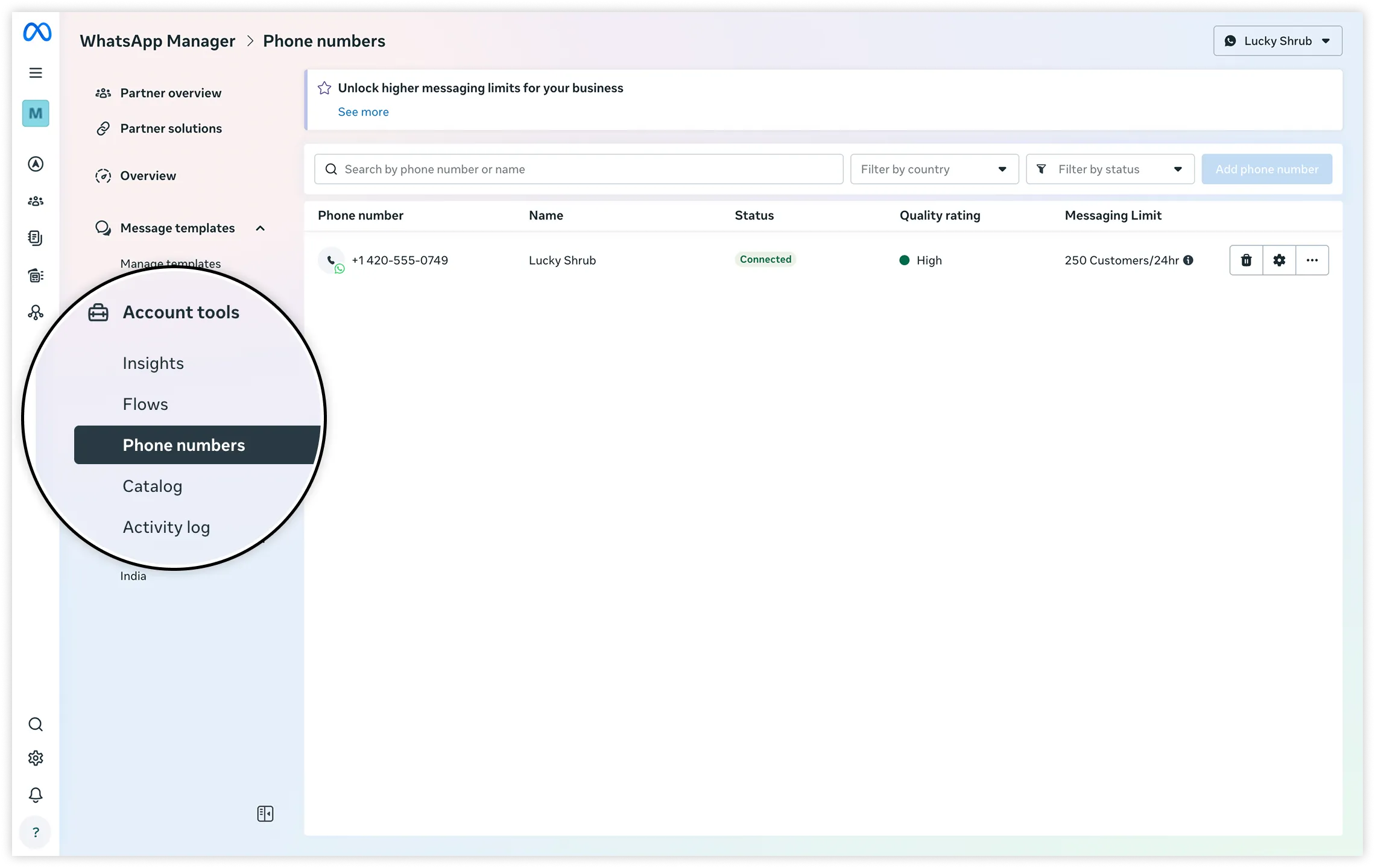
<span>Make sure your messages follow the [WhatsApp Business Messaging Policy<span>⁠</span>](https://l.facebook.com/l.php?u=https%3A%2F%2Fbusiness.whatsapp.com%2Fpolicy&h=AT62Hq9RXVq72qn9djgavYtyQ-RhhPBPwcLgdLKUyBfvyDx4lG5W11kZdYcWAqYSvsg7dZpDxSfZVM0OUtcuBsJfsfcu5b_dWj5MA_IKFZvd5q9ISMT6tXosm3y68ZfALiTMeJkOc6wpCRlbVLT_2g).</span><span>Only send messages to WhatsApp users who have opted into receiving messages from your business.</span><span>Make the messages highly personalized and useful to users.</span><span>Avoid sending open-ended welcome or introductory messages.</span><span>Avoid sending customers too many messages a day.</span><span>Optimize your messages for content and length.</span><div>Your business phone number’s status, [quality rating<span>⁠</span>](https://www.facebook.com/business/help/896873687365001), and [messaging limits](/books/meta-whatsapp/page/messaging-limits-developer-documentation) are displayed in the [WhatsApp Manager<span>⁠</span>](https://business.facebook.com/wa/manage/home/) &gt; **Account tools** &gt; **Phone numbers** panel.</div><div>![](https://support2.chatarchitect.com/uploads/images/gallery/2026-04/embedded-image-dmxxg2j5.png)</div><div>Note that it is normal for numbers with high traffic to experience quality changes within short intervals (even within minutes).</div><div id="bkmrk-customer-service-win"><div id="bkmrk-customer-service-win-1"><div>### Customer service windows

</div></div></div><div>Whenever a WhatsApp user messages you or [calls you](/books/meta-whatsapp/page/calling-api-pricing-developer-documentation), a 24-hour timer called a customer service window starts (or refreshes if one has already been started).</div><div>When a customer service window is open between you and a user, you can send **any type of message** to the user. If a window is not open between you and the user, you can only send template messages to the user, as template messages are the only type that can be sent outside of a customer service window.</div><div>As a reminder, you can only send messages to users who have [opted-in](/books/meta-whatsapp/page/get-opt-in-for-whatsapp-developer-documentation) to receiving messages from you.</div><div>**Known issue:** In rare cases, you may receive a message from a user but be unable to respond within the customer service window. We apologize for the inconvenience.</div><div id="bkmrk-commerce-messages"><div id="bkmrk-commerce-messages-1"><div>### Commerce messages

</div></div></div><div>Commerce messages are interactive messages used in conjunction with a product catalog. See [Share Products With Customers](/books/meta-whatsapp/page/share-products-with-whatsapp-users-developer-documentation) to see how to use these types of messages.</div><div id="bkmrk-read-receipts"><div id="bkmrk-read-receipts-1"><div>### Read receipts

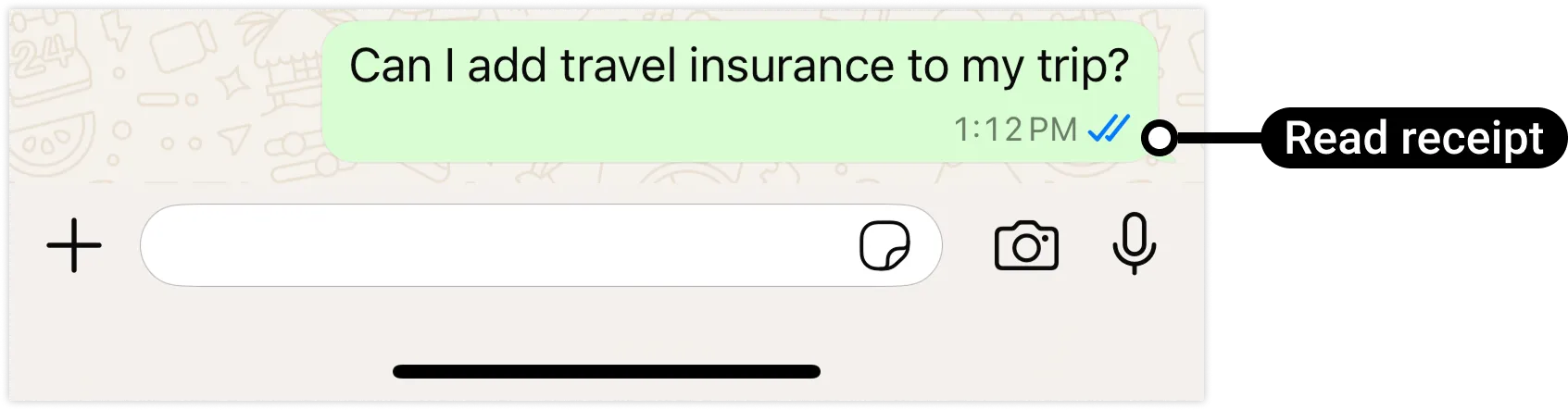
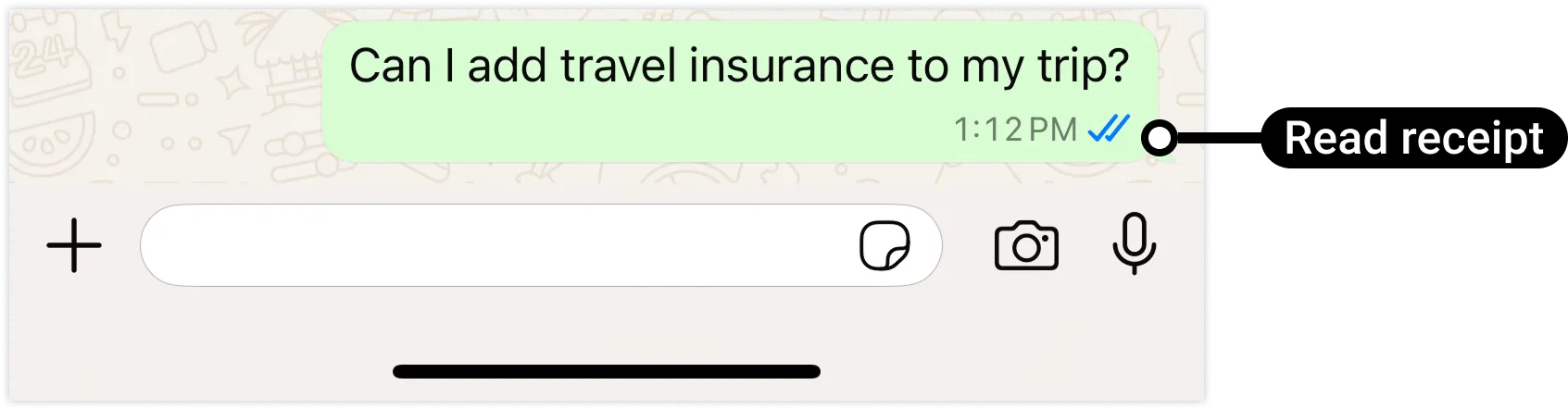
</div></div></div><div>You can let a WhatsApp user know you have read their message by [marking it as read](/books/meta-whatsapp/page/mark-messages-as-read-developer-documentation), which causes two blue check marks (called “read receipts”) to appear below the user’s message:</div><div>![](https://support2.chatarchitect.com/uploads/images/gallery/2026-04/embedded-image-vs2rj697.png)</div><div id="bkmrk-typing-indicators"><div id="bkmrk-typing-indicators-1"><div>### Typing indicators

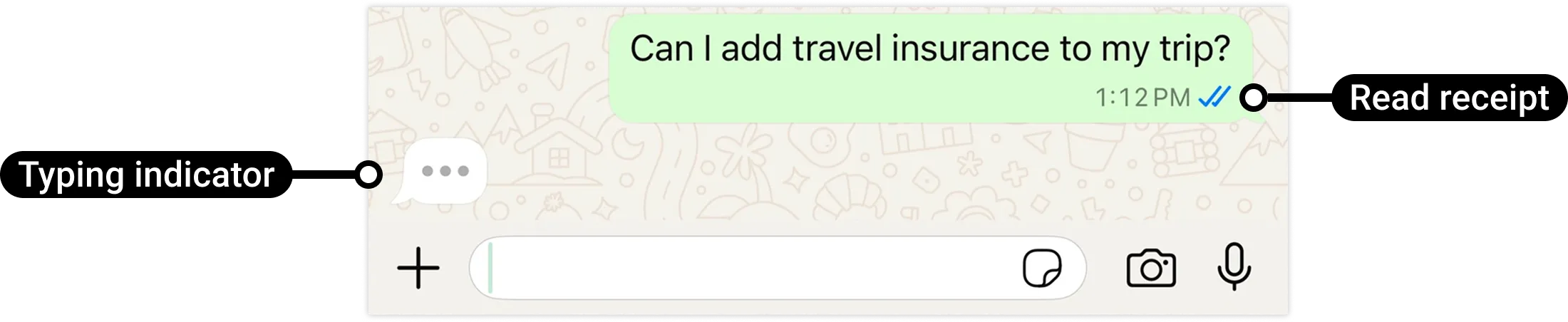
</div></div></div><div>If it may take you a few seconds or more to respond to a WhatsApp user, you can let them know that you are preparing a response by [display a typing indicator](/books/meta-whatsapp/page/typing-indicators-developer-documentation) and read receipts in the WhatsApp client:</div><div>![](https://support2.chatarchitect.com/uploads/images/gallery/2026-04/embedded-image-kihxk0v7.png)</div><div id="bkmrk-contextual-replies"><div id="bkmrk-contextual-replies-1"><div>### Contextual replies

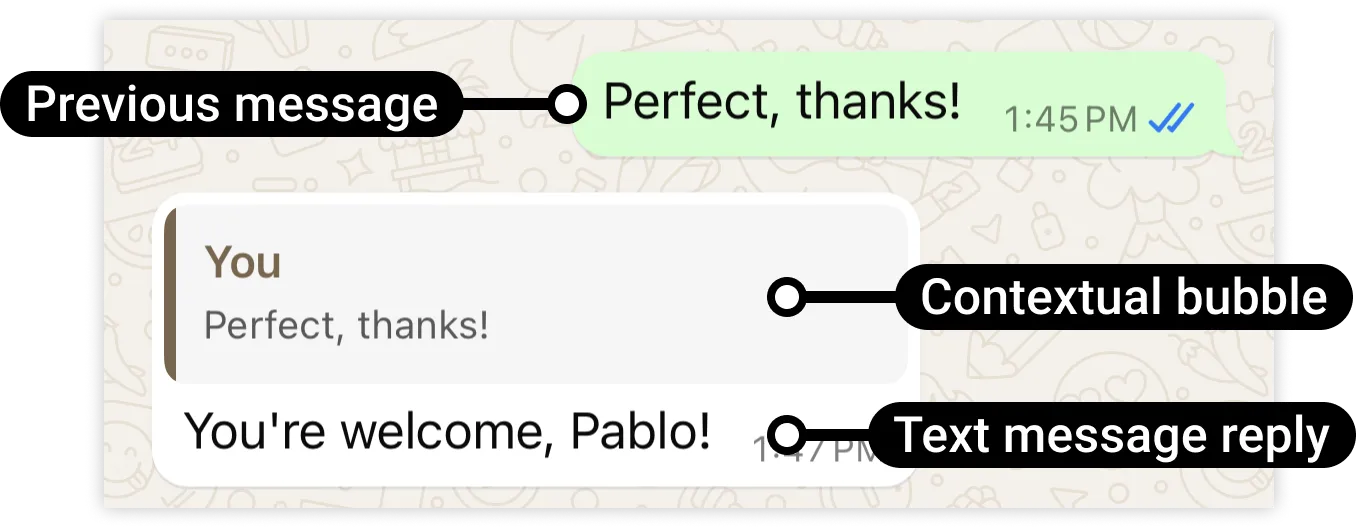
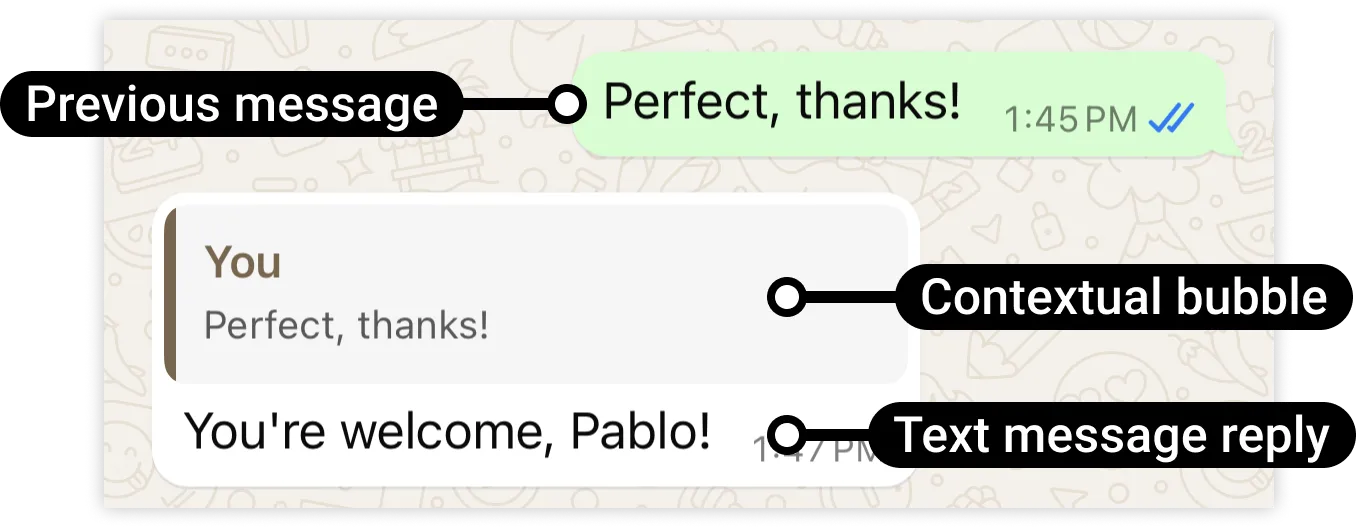
</div></div></div><div>You can send a message to a WhatsApp user as a [contextual reply](/books/meta-whatsapp/page/contextual-replies-developer-documentation), which quotes a previous message in a contextual bubble:</div><div>![](https://support2.chatarchitect.com/uploads/images/gallery/2026-04/embedded-image-p2ao50e8.png)</div><div>This makes it easier for the user to know which specific message you are replying to.</div><div id="bkmrk-whatsapp-user-phone-"><div id="bkmrk-whatsapp-user-phone--1"><div>### WhatsApp user phone number formats

</div></div></div><div>Plus signs (`+`), hyphens (`-`), parenthesis (`(`,`)`), and spaces are supported in send message requests.</div><div>We highly recommend that you include both the plus sign and country calling code when sending a message to a customer. If the plus sign is omitted, your business phone number’s country calling code is prepended to the customer’s phone number. This can result in undelivered or misdelivered messages.</div><div>For example, if your business is in India (country calling code `91`) and you send a message to the following customer phone number in various formats:</div><div><table><thead><tr><th><span>Number In Send Message Request </span></th><th><span>Number Message Delivered To </span></th><th><span>Outcome </span></th></tr></thead><tbody><tr><td><div><div>`+16315551234`</div></div></td><td><div><div>`+16315551234`</div></div></td><td><div><div>Correct number</div></div></td></tr><tr><td><div><div>`+1 (631) 555-1234`</div></div></td><td><div><div>`+16315551234`</div></div></td><td><div><div>Correct number</div></div></td></tr><tr><td><div><div>`(631) 555-1234`</div></div></td><td><div><div>`+916315551234`</div></div></td><td><div><div>Potentially wrong number</div></div></td></tr><tr><td><div><div>`1 (631) 555-1234`</div></div></td><td><div><div>`+9116315551234`</div></div></td><td><div><div>Potentially wrong number</div></div></td></tr></tbody></table>

</div><div>Note: For Brazil and Mexico, the extra added prefix of the phone number may be modified by the Cloud API. This is a standard behavior of the system and is not considered a bug.</div><div id="bkmrk-media-caching"><div id="bkmrk-media-caching-1"><div>### Media caching

</div></div></div><div>If you are using a link (`link`) to a media asset on your server (as opposed to the ID (`id`) of an asset you have uploaded to our servers), WhatsApp Cloud API internally caches the asset for a static time period of 10 minutes. We will use the cached asset in subsequent send message requests if the link in subsequent message send payloads is the same as the link in the initial message send payload.</div><div>If you don’t want us to reuse the cached asset in a subsequent message within the 10 minute time period, append a random query string to the asset link in the new send message request payload. We will treat this as a new asset, fetch it from your server, and cache it for 10 minutes.</div><div>For example:</div>
<span>Asset link in 1st send message request: `https://link.to.media/sample.jpg` — asset fetched, cached for 10 minutes</span><span>Asset link in 2d send message request: `https://link.to.media/sample.jpg` - use cached asset</span><span>Asset link in 3rd send message request: `https://link.to.media/sample.jpg?abc123` - asset fetched, cached for 10 minutes</span><div id="bkmrk-delivery-sequence-of"><div id="bkmrk-delivery-sequence-of-1"><div>### Delivery sequence of multiple messages

</div></div></div><div>When sending a series of messages, the order in which messages are delivered is not guaranteed to match the order of your API requests. If you need to ensure the sequence of message delivery, confirm receipt of a `delivered` status in a [status messages](/books/meta-whatsapp/page/status-messages-webhook-reference-developer-documentation) webhook before sending the next message in your message sequence.</div><div id="bkmrk-message-time-to-live"><div id="bkmrk-message-time-to-live-1"><div>### Message Time-To-Live (TTL)

</div></div></div><div>If we are unable to deliver a message to a WhatsApp user, we will retry the delivery for a period of time known as a time-to-live, TTL, or the message validity period.</div><div id="bkmrk-default-ttl"><div id="bkmrk-default-ttl-1"><div>#### Default TTL

</div></div></div>
<span>All messages except authentication templates: **30 days**.</span><span>Authentication templates: **10 minutes**</span><div id="bkmrk-customizing-ttl-for-"><div id="bkmrk-customizing-ttl-for--1"><div>#### Customizing TTL for templates

</div></div></div><div>You can customize the default TTL for authentication and utility templates, and for marketing templates sent using the Marketing Messages API for WhatsApp. See our [Time-to-live](/books/meta-whatsapp/page/configure-message-time-to-live-developer-documentation) document to learn how.</div><div id="bkmrk-when-ttl-is-exceeded"><div id="bkmrk-when-ttl-is-exceeded-1"><div>#### When TTL is Exceeded: Dropped messages

</div></div></div><div>Messages that are unable to be delivered within the default or customized TTL are dropped.</div><div>If you do not receive a status messages webhook with `status` set to `delivered` before the TTL is exceeded, assume the message was dropped.</div><div>If you send a message that fails (`status` set to `failed`), there could be a minor delay before you receive the webhook, so you may wish to build in a small buffer before assuming the message was dropped.</div><div id="bkmrk-troubleshooting"><div id="bkmrk-troubleshooting-1"><div>### Troubleshooting

</div></div></div><div>If you are experiencing problems with message delivery, see [Message Not Delivered](/books/meta-whatsapp/page/faqs-developer-documentation).</div></div>

# Audio messages | Developer Documentation

<div id="bkmrk-audio-messagesupdate">## Audio messages

<div><span>Updated: Feb 17, 2026</span></div><div><span></span><div>On March 17th, 2026, voice messages will start receiving a [“played” status webhook](/books/meta-whatsapp/page/status-messages-webhook-reference-developer-documentation) the first time a WhatsApp user plays a voice message shared by the business.</div></div><div>You can use Cloud API to send voice messages and basic audio messages.</div><div id="bkmrk-voice-messages"><div id="bkmrk-voice-messages-1"><div>### Voice messages

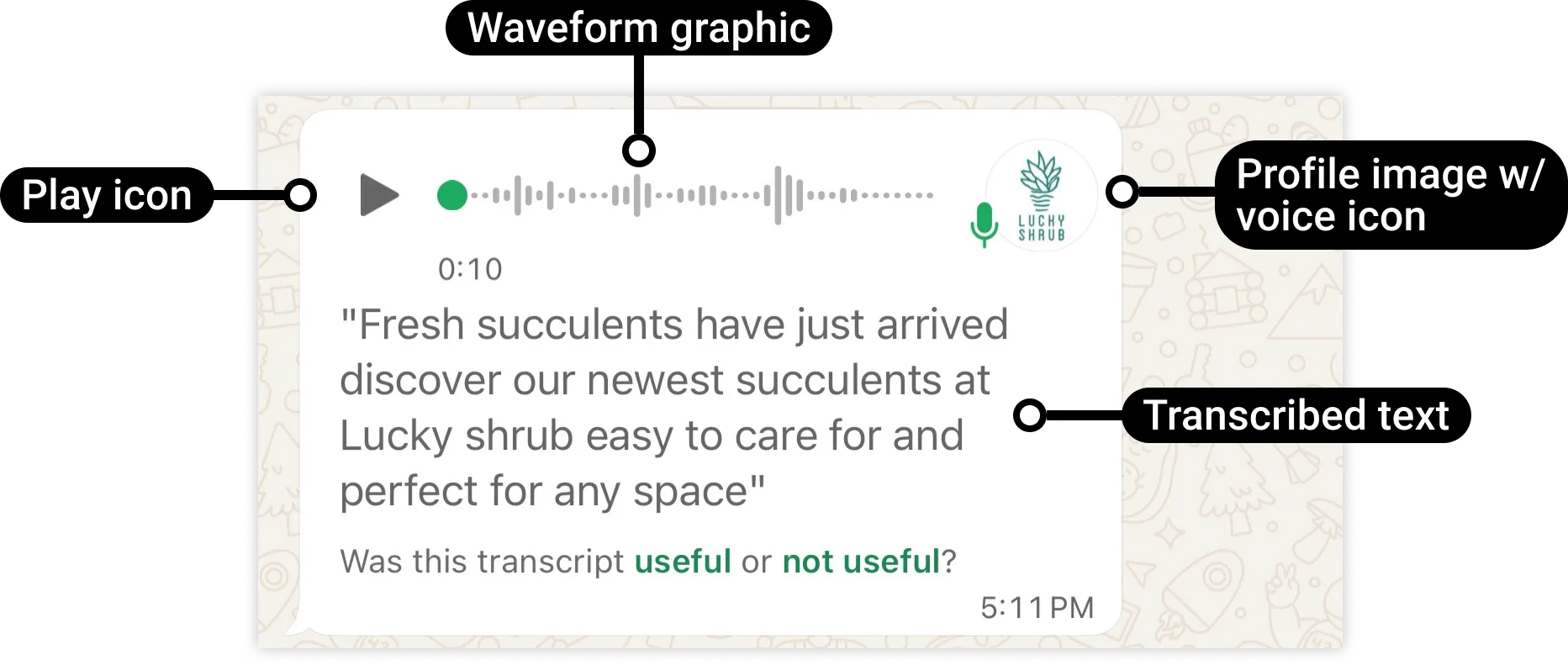
</div></div></div><div>A voice message (sometimes referred to as a voice note, voice memo, or audio) is a recording of one or more persons speaking, and can include background sounds like music. Voice messages include features like automatic download, profile picture, and voice icon. These features are not available with basic audio messages. If the user sets voice message transcripts to **Automatic**, the message includes a text transcription.</div><div>![](https://support2.chatarchitect.com/uploads/images/gallery/2026-04/embedded-image-9jw48xtf.png)</div>
<span>Voice messages require .ogg files encoded with the **OPUS** codec. If you send a different file type or a file encoded with a different codec, voice message transcription will fail.</span><span>The play icon will only appear if the file is 512KB or smaller, otherwise it will be replaced with a download icon (a downward facing arrow).</span><span>The message displays your business’s profile image with a microphone icon.</span><span>The text transcription appears if the user has enabled **Automatic** [voice message transcripts<span>⁠</span>](https://l.facebook.com/l.php?u=https%3A%2F%2Ffaq.whatsapp.com%2F241617298315321%2F&h=AT5XzkCq7R5XP1Y2pGGxquqnT2xcoEVddM6jrUyH_7XDbF0NyYJHCrG7AoVhyVCr9zkCtBexFgJN9OOfpahqOqUcchcILl1JqllxFAq8BJUQkD_Vr-6zDjuHKqzNAxDtTNQbW0xI8pJVbL_dAJ_Q5A). If the user has set this to **Manual**, the text “Transcribe” will appear instead, which will display the transcribed text once tapped. If the user has set voice message transcripts to **Never**, no text will appear.</span><div id="bkmrk-basic-audio-messages"><div id="bkmrk-basic-audio-messages-1"><div>### Basic audio messages

</div></div></div><div>Basic audio messages display a download icon and a music icon. When the WhatsApp user taps the play icon, the user manually download the audio message for the WhatsApp client to load and then play the audio file.</div><div>![](https://support2.chatarchitect.com/uploads/images/gallery/2026-04/embedded-image-mxrmswwk.png)</div>
<span>The download icon will be replaced with a play icon if the WhatsApp user has enabled [auto-download<span>⁠</span>](https://l.facebook.com/l.php?u=https%3A%2F%2Ffaq.whatsapp.com%2F366146522333492%2F&h=AT5XzkCq7R5XP1Y2pGGxquqnT2xcoEVddM6jrUyH_7XDbF0NyYJHCrG7AoVhyVCr9zkCtBexFgJN9OOfpahqOqUcchcILl1JqllxFAq8BJUQkD_Vr-6zDjuHKqzNAxDtTNQbW0xI8pJVbL_dAJ_Q5A) for audio media and conditions for auto-download are met (e.g. connected to wi-fi).</span><span>If you send a .ogg file encoded with the OPUS code as a basic audio message, the music icon will be replaced with a microphone icon. In addition, if the user has enabled **Automatic** or **Manual** [voice message transcripts<span>⁠</span>](https://l.facebook.com/l.php?u=https%3A%2F%2Ffaq.whatsapp.com%2F241617298315321%2F&h=AT5XzkCq7R5XP1Y2pGGxquqnT2xcoEVddM6jrUyH_7XDbF0NyYJHCrG7AoVhyVCr9zkCtBexFgJN9OOfpahqOqUcchcILl1JqllxFAq8BJUQkD_Vr-6zDjuHKqzNAxDtTNQbW0xI8pJVbL_dAJ_Q5A), a text transcription or the text “Transcribe” will accompany the message.</span><div id="bkmrk-request-parameters"><div id="bkmrk-request-parameters-1"><div>### Request parameters

</div></div></div><div><table><thead><tr><th><span>Placeholder </span></th><th><span>Description </span></th><th><span>Example Value </span></th></tr></thead><tbody><tr><td><div><div>`<ACCESS_TOKEN>`</div><div>*String*</div></div></td><td><div><div>**Required.**</div><div>[System token](/books/meta-whatsapp/page/access-tokens-guide-developer-documentation) or [business token](/books/meta-whatsapp/page/access-tokens-guide-developer-documentation).</div></div></td><td><div><div>```
EAAAN6tcBzAUBOZC82CW7iR2LiaZBwUHS4Y7FDtQxRUPy1PHZClDGZBZCgWdrTisgMjpFKiZAi1FBBQNO2IqZBAzdZAA16lmUs0XgRcCf6z1LLxQCgLXDEpg80d41UZBt1FKJZCqJFcTYXJvSMeHLvOdZwFyZBrV9ZPHZASSqxDZBUZASyFdzjiy2A1sippEsF4DVV5W2IlkOSr2LrMLuYoNMYBy8xQczzOKDOMccqHEZD
```

</div></div></td></tr><tr><td><div><div>`<API_VERSION>`</div><div>*String*</div></div></td><td><div><div>**Optional.**</div><div>Graph API version.</div></div></td><td><div><div>v25.0</div></div></td></tr><tr><td><div><div>`<IS_VOICE?>`</div><div>*Boolean*</div></div></td><td><div><div>**Optional.**</div><div>Set to `true` if sending a [voice message](#bkmrk-voice-messages-1). Voice messages must be Ogg files encoded with the **OPUS** codec.</div><div>To send a [basic audio message](#bkmrk-basic-audio-messages-1), set to `false` or omit entirely.</div></div></td><td><div><div>`true`</div></div></td></tr><tr><td><div><div>`<MEDIA_ID>`</div><div>*String*</div></div></td><td><div><div>**Required if using uploaded media, otherwise omit.**</div><div>ID of the [uploaded media asset](/books/meta-whatsapp/page/media-developer-documentation).</div></div></td><td><div><div>`1013859600285441`</div></div></td></tr><tr><td><div><div>`<MEDIA_URL>`</div><div>*String*</div></div></td><td><div><div>**Required if using hosted media, otherwise omit.**</div><div>URL of the media asset hosted on your public server. For better performance, we recommend using `id` and an [uploaded media asset ID](/books/meta-whatsapp/page/media-developer-documentation) instead.</div></div></td><td><div><div>`https://www.luckyshrub.com/media/ringtones/wind-chime.mp3`</div></div></td></tr><tr><td><div><div>`<WHATSAPP_BUSINESS_PHONE_NUMBER_ID>`</div><div>*String*</div></div></td><td><div><div>**Required.**</div><div>WhatsApp business phone number ID.</div></div></td><td><div><div>`106540352242922`</div></div></td></tr><tr><td><div><div>`<WHATSAPP_USER_PHONE_NUMBER>`</div><div>*String*</div></div></td><td><div><div>**Required.**</div><div>WhatsApp user phone number.</div></div></td><td><div><div>`+16505551234`</div></div></td></tr></tbody></table>

</div><div id="bkmrk-supported-audio-form"><div id="bkmrk-supported-audio-form-1"><div>### Supported audio formats

</div></div></div><div><table><thead><tr><th><span>Audio Type </span></th><th><span>Extension </span></th><th><span>MIME Type </span></th><th><span>Max Size </span></th></tr></thead><tbody><tr><td><div><div>AAC</div></div></td><td><div><div>.aac</div></div></td><td><div><div>audio/aac</div></div></td><td><div><div>16 MB</div></div></td></tr><tr><td><div><div>AMR</div></div></td><td><div><div>.amr</div></div></td><td><div><div>audio/amr</div></div></td><td><div><div>16 MB</div></div></td></tr><tr><td><div><div>MP3</div></div></td><td><div><div>.mp3</div></div></td><td><div><div>audio/mpeg</div></div></td><td><div><div>16 MB</div></div></td></tr><tr><td><div><div>MP4 Audio</div></div></td><td><div><div>.m4a</div></div></td><td><div><div>audio/mp4</div></div></td><td><div><div>16 MB</div></div></td></tr><tr><td><div><div>OGG Audio</div></div></td><td><div><div>.ogg</div></div></td><td><div><div>audio/ogg (OPUS codecs only; base audio/ogg not supported; mono input only)</div></div></td><td><div><div>16 MB</div></div></td></tr></tbody></table>

</div><div>The most common errors associated with audio files are mismatched MIME types (MIME type doesn’t match the file type indicated by the file name) and invalid encoding for Ogg files (OPUS codec only). If you encounter an error when sending a media file, verify that your audio file’s MIME type matches its extension and is a supported type. For Ogg files, use the OPUS codec for encoding.</div></div>

# Contacts messages | Developer Documentation

<div id="bkmrk-contacts-messagesupd">## Contacts messages

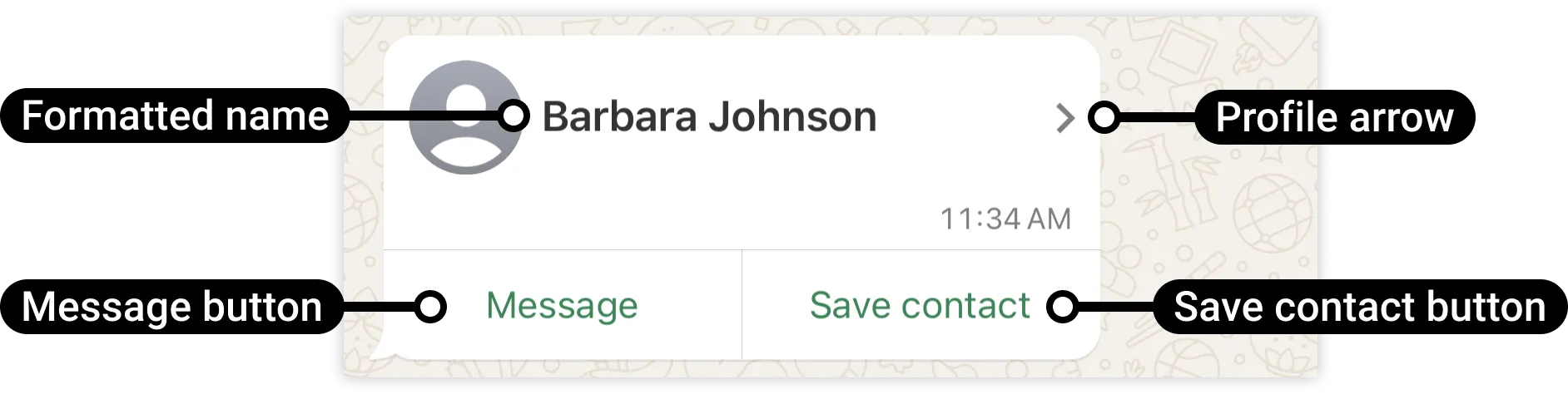
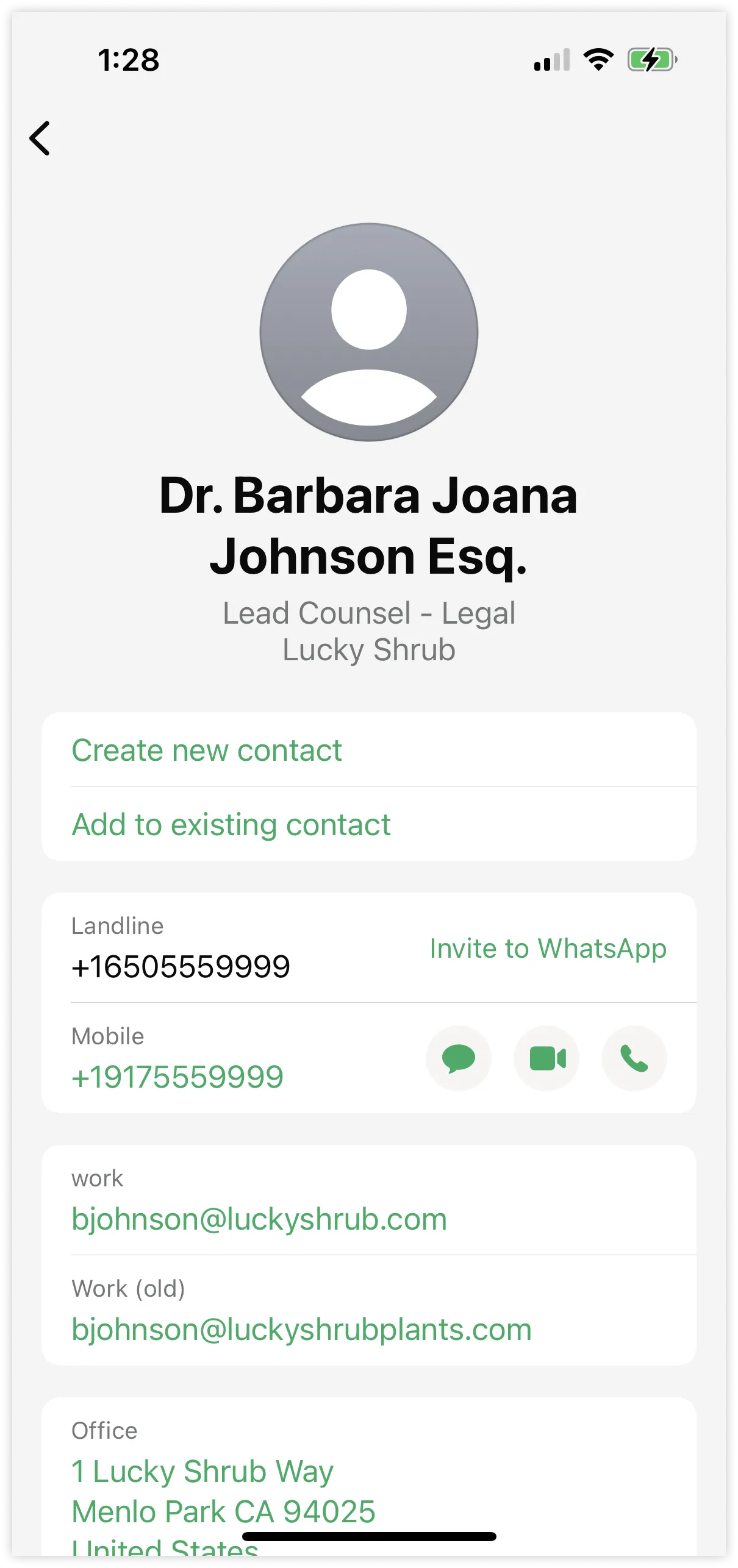
<div><span>Updated: Nov 3, 2025</span></div><div>Contacts messages allow you to send rich contact information directly to WhatsApp users, such as names, phone numbers, physical addresses, and email addresses.</div><div>![](https://support2.chatarchitect.com/uploads/images/gallery/2026-04/embedded-image-g7ijru4y.png)</div><div>When a WhatsApp user taps the message's profile arrow, it displays the contact's information in a profile view:</div><div>![](https://support2.chatarchitect.com/uploads/images/gallery/2026-04/embedded-image-lju8gmsv.png)</div><div>Each message can include information for up to 257 contacts, although it is recommended to send fewer for usability and negative feedback reasons.</div><div>Please be aware that a contact's metadata (e.g., addresses, birthdays, emails) may not be supported by the recipient, especially on their primary device. Please refer to this [documentation<span>?</span>](https://l.facebook.com/l.php?u=https%3A%2F%2Ffaq.whatsapp.com%2F378279804439436%2F%3Fcms_platform%3Dandroid&h=AT5GDbSFsiJANcSum1aXCIno3-tfWKDeB6SuR4uzmJM19Hm4iolpfLa3906-3U_d_RcJUwiugaV9svOyL6bVTm96A3ZZRP0dFafRbX38_Cd-qVxPOXZilk21mUMOSbkV-N1A-5uBpG8PAbMOCRa-3Q) for the definitions of primary and linked devices.</div><div id="bkmrk-request-parameters"><div id="bkmrk-request-parameters-1"><div>### Request parameters

</div></div></div><div><table><thead><tr><th><span>Placeholder </span></th><th><span>Description </span></th><th><span>Example Value </span></th></tr></thead><tbody><tr><td><div><div>`<ACCESS_TOKEN>`</div><div>*String*</div></div></td><td><div><div>**Required.**</div><div>[System token](/books/meta-whatsapp/page/access-tokens-guide-developer-documentation) or [business token](/books/meta-whatsapp/page/access-tokens-guide-developer-documentation).</div></div></td><td><div><div>```
EAAAN6tcBzAUBOZC82CW7iR2LiaZBwUHS4Y7FDtQxRUPy1PHZClDGZBZCgWdrTisgMjpFKiZAi1FBBQNO2IqZBAzdZAA16lmUs0XgRcCf6z1LLxQCgLXDEpg80d41UZBt1FKJZCqJFcTYXJvSMeHLvOdZwFyZBrV9ZPHZASSqxDZBUZASyFdzjiy2A1sippEsF4DVV5W2IlkOSr2LrMLuYoNMYBy8xQczzOKDOMccqHEZD
```

</div></div></td></tr><tr><td><div><div>`<ADDRESS_TYPE>`</div><div>*String*</div></div></td><td><div><div>**Optional.**</div><div>Type of address, such as home or work.</div></div></td><td><div><div>`Home`</div></div></td></tr><tr><td><div><div>`<API_VERSION>`</div><div>*String*</div></div></td><td><div><div>**Optional.**</div><div>Graph API version.</div></div></td><td><div><div>v25.0</div></div></td></tr><tr><td><div><div>`<BIRTHDAY>`</div><div>*String*</div></div></td><td><div><div>**Optional.**</div><div>Contact's birthday. Must be in `YYYY-MM-DD` format.</div></div></td><td><div><div>`1999-01-23`</div></div></td></tr><tr><td><div><div>`<CITY>`</div><div>*String*</div></div></td><td><div><div>**Optional.**</div><div>City where the contact resides.</div></div></td><td><div><div>`Menlo Park`</div></div></td></tr><tr><td><div><div>`<COMPANY_OR_ORG_NAME>`</div><div>*String*</div></div></td><td><div><div>**Optional.**</div><div>Name of the company where the contact works.</div></div></td><td><div><div>`Lucky Shrub`</div></div></td></tr><tr><td><div><div>`<COUNTRY_CODE>`</div><div>*String*</div></div></td><td><div><div>**Optional.**</div><div>ISO two-letter country code.</div></div></td><td><div><div>`US`</div></div></td></tr><tr><td><div><div>`<COUNTRY_NAME>`</div><div>*String*</div></div></td><td><div><div>**Optional.**</div><div>Country name.</div></div></td><td><div><div>`United States`</div></div></td></tr><tr><td><div><div>`<DEPARTMENT_NAME>`</div><div>*String*</div></div></td><td><div><div>**Optional.**</div><div>Department within the company.</div></div></td><td><div><div>`Legal`</div></div></td></tr><tr><td><div><div>`<EMAIL_ADDRESS>`</div><div>*String*</div></div></td><td><div><div>**Optional.**</div><div>Email address of the contact.</div></div></td><td><div><div>`bjohnson@luckyshrub.com`</div></div></td></tr><tr><td><div><div>`<EMAIL_TYPE>`</div><div>*String*</div></div></td><td><div><div>**Optional.**</div><div>Type of email, such as personal or work.</div></div></td><td><div><div>`Work`</div></div></td></tr><tr><td><div><div>`<FIRST_NAME>`</div><div>*String*</div></div></td><td><div><div>**Optional.**</div><div>Contact's first name.</div></div></td><td><div><div>`Barbara`</div></div></td></tr><tr><td><div><div>`<FORMATTED_NAME>`</div><div>*String*</div></div></td><td><div><div>**Required.**</div><div>Contact's formatted name. This will appear in the message alongside the profile arrow button.</div></div></td><td><div><div>`Barbara J. Johnson`</div></div></td></tr><tr><td><div><div>`<JOB_TITLE>`</div><div>*String*</div></div></td><td><div><div>**Optional.**</div><div>Contact's job title.</div></div></td><td><div><div>`Lead Counsel`</div></div></td></tr><tr><td><div><div>`<LAST_NAME>`</div><div>*String*</div></div></td><td><div><div>**Optional.**</div><div>Contact's last name.</div></div></td><td><div><div>`Johnson`</div></div></td></tr><tr><td><div><div>`<MIDDLE_NAME>`</div><div>*String*</div></div></td><td><div><div>**Optional.**</div><div>Contact's middle name.</div></div></td><td><div><div>`Joana`</div></div></td></tr><tr><td><div><div>`<PHONE_NUMBER>`</div><div>*String*</div></div></td><td><div><div>**Optional.**</div><div>WhatsApp user phone number.</div></div></td><td><div><div>`+16505559999`</div></div></td></tr><tr><td><div><div>`<PHONE_NUMBER_TYPE>`</div><div>*String*</div></div></td><td><div><div>**Optional.**</div><div>Type of phone number. For example, cell, mobile, main, iPhone, home, work, etc.</div></div></td><td><div><div>`Home`</div></div></td></tr><tr><td><div><div>`<PREFIX>`</div><div>*String*</div></div></td><td><div><div>**Optional.**</div><div>Prefix for the contact's name, such as Mr., Ms., Dr., etc.</div></div></td><td><div><div>`Dr.`</div></div></td></tr><tr><td><div><div>`<STATE_CODE>`</div><div>*String*</div></div></td><td><div><div>**Optional.**</div><div>Two-letter state code.</div></div></td><td><div><div>`CA`</div></div></td></tr><tr><td><div><div>`<STREET_NUMBER_AND_NAME>`</div><div>*String*</div></div></td><td><div><div>**Optional.**</div><div>Street address of the contact.</div></div></td><td><div><div>`1 Lucky Shrub Way`</div></div></td></tr><tr><td><div><div>`<SUFFIX>`</div><div>*String*</div></div></td><td><div><div>**Optional.**</div><div>Suffix for the contact's name, if applicable.</div></div></td><td><div><div>`Esq.`</div></div></td></tr><tr><td><div><div>`<WEBSITE_TYPE>`</div><div>*String*</div></div></td><td><div><div>**Optional.**</div><div>Type of website. For example, company, work, personal, Facebook Page, Instagram, etc.</div></div></td><td><div><div>`Company`</div></div></td></tr><tr><td><div><div>`<WEBSITE_URL>`</div><div>*String*</div></div></td><td><div><div>**Optional.**</div><div>Website URL associated with the contact or their company.</div></div></td><td><div><div>`https://www.luckyshrub.com`</div></div></td></tr><tr><td><div><div>`<WHATSAPP_USER_ID>`</div><div>*String*</div></div></td><td><div><div>**Optional.**</div><div>WhatsApp user ID. If omitted, the message will display an Invite to WhatsApp button instead of the standard buttons.</div><div>See [Button Behavior](#bkmrk-button-behavior-1) below.</div></div></td><td><div><div>`19175559999`</div></div></td></tr><tr><td><div><div>`<WHATSAPP_BUSINESS_PHONE_NUMBER_ID>`</div><div>*String*</div></div></td><td><div><div>**Required.**</div><div>WhatsApp business phone number ID.</div></div></td><td><div><div>`106540352242922`</div></div></td></tr><tr><td><div><div>`<WHATSAPP_USER_PHONE_NUMBER>`</div><div>*String*</div></div></td><td><div><div>**Required.**</div><div>WhatsApp user phone number.</div></div></td><td><div><div>`+16505551234`</div></div></td></tr><tr><td><div><div>`<ZIP_CODE>`</div><div>*String*</div></div></td><td><div><div>**Optional.**</div><div>Postal or ZIP code.</div></div></td><td><div><div>`94025`</div></div></td></tr></tbody></table>

</div><div id="bkmrk-button-behavior"><div id="bkmrk-button-behavior-1"><div>### Button behavior

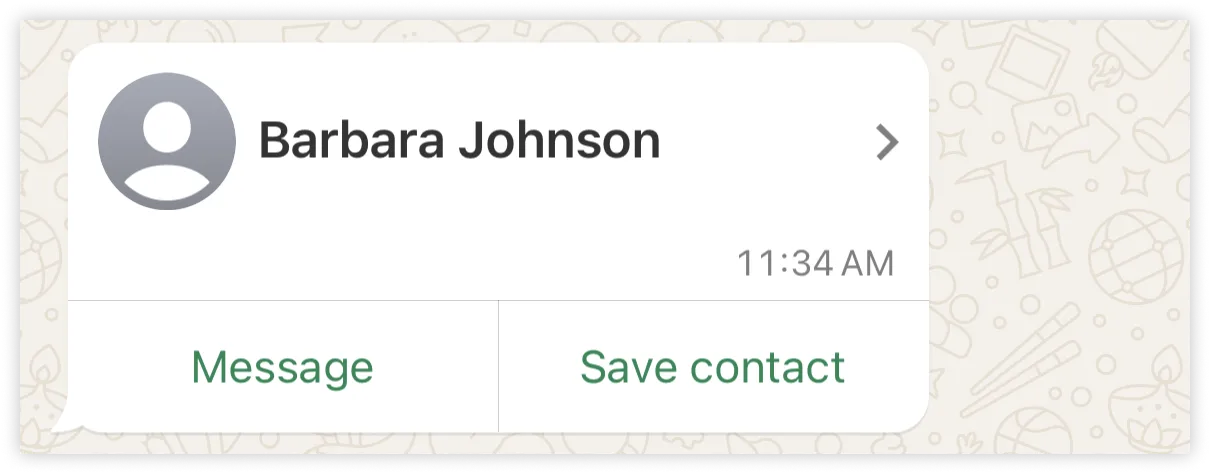
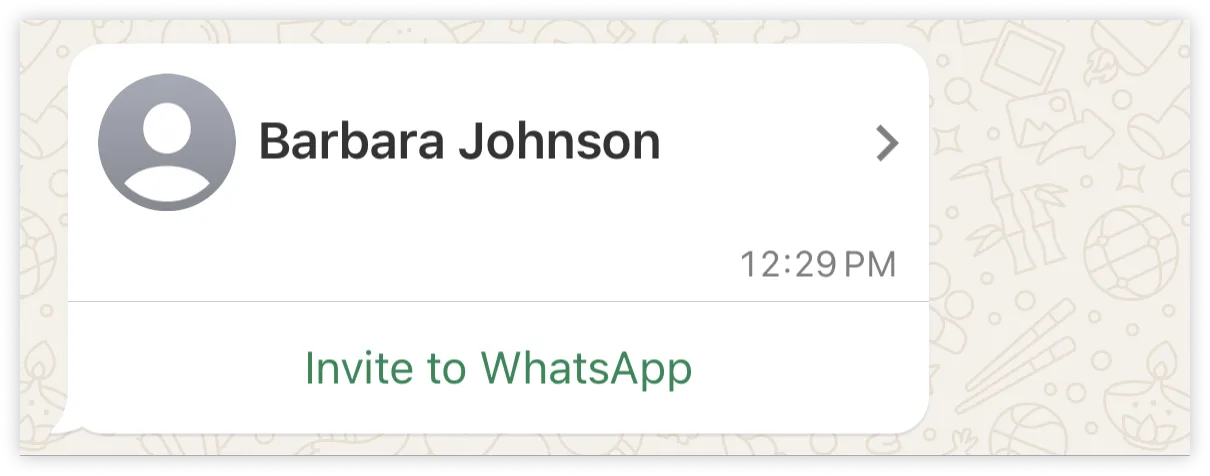
</div></div></div><div>If you include the contact's WhatsApp ID in the message (via the `wa_id` property), the message will include a **Message** and a **Save contact** button:</div><div>![](https://support2.chatarchitect.com/uploads/images/gallery/2026-04/embedded-image-eddt0kvo.png)</div><div>If the WhatsApp user taps the **Message** button, it will open a new message with the contact. If the user taps the **Save contact** button, they will be given the option to save the contact as a new contact, or to update an existing contact.</div><div>If you omit the `wa_id` property, both buttons will be replaced with an **Invite to WhatsApp** button:</div><div>![](https://support2.chatarchitect.com/uploads/images/gallery/2026-04/embedded-image-7m30tcjr.png)</div></div>

# Document messages | Developer Documentation

<div id="bkmrk-document-messagesupd">## Document messages

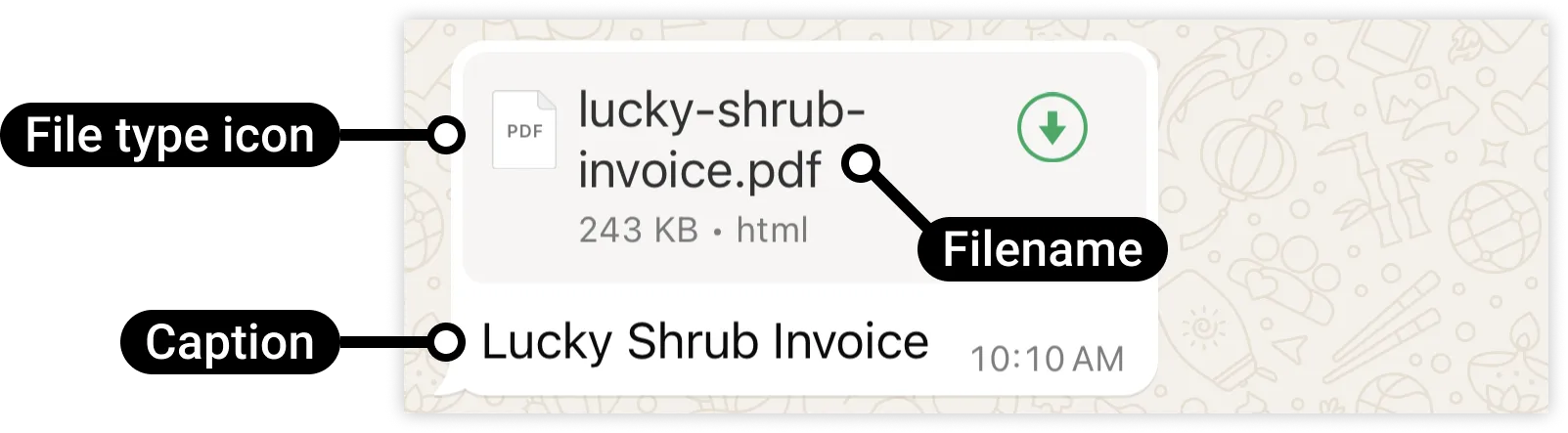
<div><span>Updated: Nov 3, 2025</span></div><div>Document messages are messages that display a document icon, linked to a document, that a WhatsApp user can tap to download.</div><div>![](https://support2.chatarchitect.com/uploads/images/gallery/2026-04/embedded-image-oyajztpa.png)</div><div id="bkmrk-request-parameters"><div id="bkmrk-request-parameters-1"><div>### Request parameters

</div></div></div><div><table><thead><tr><th><span>Placeholder </span></th><th><span>Description </span></th><th><span>Example Value </span></th></tr></thead><tbody><tr><td><div><div>`<ACCESS_TOKEN>`</div><div>*String*</div></div></td><td><div><div>**Required.**</div><div>[System token](/books/meta-whatsapp/page/access-tokens-guide-developer-documentation) or [business token](/books/meta-whatsapp/page/access-tokens-guide-developer-documentation).</div></div></td><td><div><div>```
EAAAN6tcBzAUBOZC82CW7iR2LiaZBwUHS4Y7FDtQxRUPy1PHZClDGZBZCgWdrTisgMjpFKiZAi1FBBQNO2IqZBAzdZAA16lmUs0XgRcCf6z1LLxQCgLXDEpg80d41UZBt1FKJZCqJFcTYXJvSMeHLvOdZwFyZBrV9ZPHZASSqxDZBUZASyFdzjiy2A1sippEsF4DVV5W2IlkOSr2LrMLuYoNMYBy8xQczzOKDOMccqHEZD
```

</div></div></td></tr><tr><td><div><div>`<API_VERSION>`</div><div>*String*</div></div></td><td><div><div>**Optional.**</div><div>Graph API version.</div></div></td><td><div><div>v25.0</div></div></td></tr><tr><td><div><div>`<MEDIA_CAPTION_TEXT>`</div><div>*String*</div></div></td><td><div><div>**Optional.**</div><div>Media asset caption text.</div><div>Maximum 1024 characters.</div></div></td><td><div><div>`Lucky Shrub Invoice`</div></div></td></tr><tr><td><div><div>`<MEDIA_FILENAME>`</div><div>*String*</div></div></td><td><div><div>**Optional.**</div><div>Document filename, with extension. The WhatsApp client will use an appropriate file type icon based on the extension.</div></div></td><td><div><div>`lucky-shrub-invoice.pdf`</div></div></td></tr><tr><td><div><div>`<MEDIA_ID>`</div><div>*String*</div></div></td><td><div><div>**Required if using uploaded media, otherwise omit.**</div><div>ID of the [uploaded media asset](/books/meta-whatsapp/page/media-developer-documentation).</div></div></td><td><div><div>`1013859600285441`</div></div></td></tr><tr><td><div><div>`<MEDIA_URL>`</div><div>*String*</div></div></td><td><div><div>**Required if using hosted media, otherwise omit.**</div><div>URL of the media asset hosted on your public server. For better performance, we recommend using `id` and an [uploaded media asset ID](/books/meta-whatsapp/page/media-developer-documentation) instead.</div></div></td><td><div><div>`https://www.luckyshrub.com/invoices/FmOzfD9cKf/lucky-shrub-invoice.pdf`</div></div></td></tr><tr><td><div><div>`<WHATSAPP_BUSINESS_PHONE_NUMBER_ID>`</div><div>*String*</div></div></td><td><div><div>**Required.**</div><div>WhatsApp business phone number ID.</div></div></td><td><div><div>`106540352242922`</div></div></td></tr><tr><td><div><div>`<WHATSAPP_USER_PHONE_NUMBER>`</div><div>*String*</div></div></td><td><div><div>**Required.**</div><div>WhatsApp user phone number.</div></div></td><td><div><div>`+16505551234`</div></div></td></tr></tbody></table>

</div><div id="bkmrk-supported-document-t"><div id="bkmrk-supported-document-t-1"><div>### Supported document types

</div></div></div><div><table><thead><tr><th><span>Document Type </span></th><th><span>Extension </span></th><th><span>MIME Type </span></th><th><span>Max Size </span></th></tr></thead><tbody><tr><td><div><div>Text</div></div></td><td><div><div>.txt</div></div></td><td><div><div>text/plain</div></div></td><td><div><div>100 MB</div></div></td></tr><tr><td><div><div>Microsoft Excel</div></div></td><td><div><div>.xls</div></div></td><td><div><div>application/vnd.ms-excel</div></div></td><td><div><div>100 MB</div></div></td></tr><tr><td><div><div>Microsoft Excel</div></div></td><td><div><div>.xlsx</div></div></td><td><div><div>application/vnd.openxmlformats-officedocument.spreadsheetml.sheet</div></div></td><td><div><div>100 MB</div></div></td></tr><tr><td><div><div>Microsoft Word</div></div></td><td><div><div>.doc</div></div></td><td><div><div>application/msword</div></div></td><td><div><div>100 MB</div></div></td></tr><tr><td><div><div>Microsoft Word</div></div></td><td><div><div>.docx</div></div></td><td><div><div>application/vnd.openxmlformats-officedocument.wordprocessingml.document</div></div></td><td><div><div>100 MB</div></div></td></tr><tr><td><div><div>Microsoft PowerPoint</div></div></td><td><div><div>.ppt</div></div></td><td><div><div>application/vnd.ms-powerpoint</div></div></td><td><div><div>100 MB</div></div></td></tr><tr><td><div><div>Microsoft PowerPoint</div></div></td><td><div><div>.pptx</div></div></td><td><div><div>application/vnd.openxmlformats-officedocument.presentationml.presentation</div></div></td><td><div><div>100 MB</div></div></td></tr><tr><td><div><div>PDF</div></div></td><td><div><div>.pdf</div></div></td><td><div><div>application/pdf</div></div></td><td><div><div>100 MB</div></div></td></tr></tbody></table>

</div><div>Only the above listed document types are officially supported and guaranteed to display correctly in the WhatsApp client. Other file types may be sent via the API, but they are not supported and may not be handled as expected.</div></div>

# Image messages | Developer Documentation

<div id="bkmrk-image-messagesupdate">## Image messages

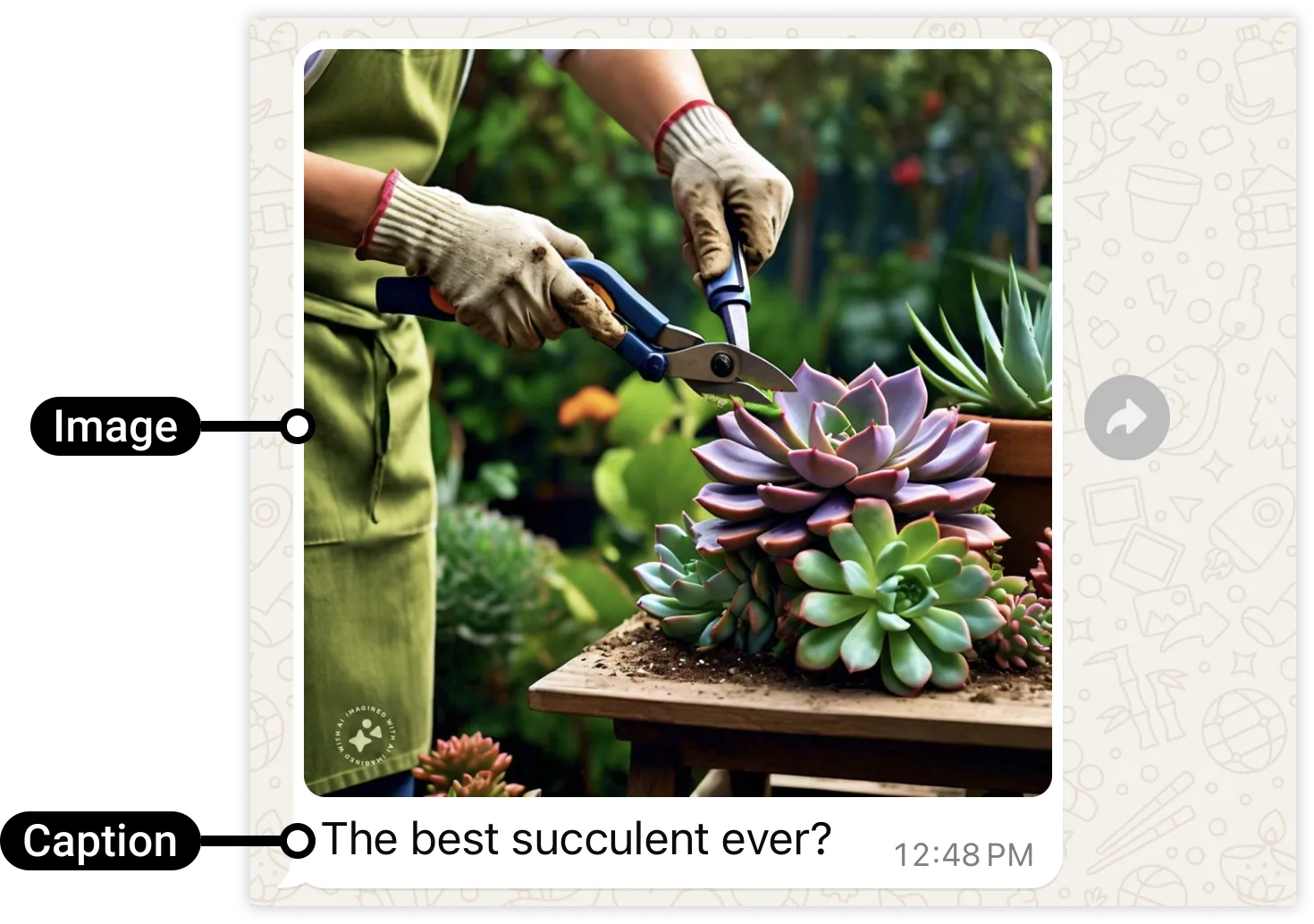
<div><span>Updated: Nov 3, 2025</span></div><div>Image messages are messages that display a single image and an optional caption.</div><div>![](https://support2.chatarchitect.com/uploads/images/gallery/2026-04/embedded-image-cz2terue.png)</div><div id="bkmrk-request-parameters"><div id="bkmrk-request-parameters-1"><div>### Request parameters

</div></div></div><div><table><thead><tr><th><span>Placeholder </span></th><th><span>Description </span></th><th><span>Example Value </span></th></tr></thead><tbody><tr><td><div><div>`<ACCESS_TOKEN>`</div><div>*String*</div></div></td><td><div><div>**Required.**</div><div>[System token](/books/meta-whatsapp/page/access-tokens-guide-developer-documentation) or [business token](/books/meta-whatsapp/page/access-tokens-guide-developer-documentation).</div></div></td><td><div><div>```
EAAAN6tcBzAUBOZC82CW7iR2LiaZBwUHS4Y7FDtQxRUPy1PHZClDGZBZCgWdrTisgMjpFKiZAi1FBBQNO2IqZBAzdZAA16lmUs0XgRcCf6z1LLxQCgLXDEpg80d41UZBt1FKJZCqJFcTYXJvSMeHLvOdZwFyZBrV9ZPHZASSqxDZBUZASyFdzjiy2A1sippEsF4DVV5W2IlkOSr2LrMLuYoNMYBy8xQczzOKDOMccqHEZD
```

</div></div></td></tr><tr><td><div><div>`<API_VERSION>`</div><div>*String*</div></div></td><td><div><div>**Optional.**</div><div>Graph API version.</div></div></td><td><div><div>v25.0</div></div></td></tr><tr><td><div><div>`<MEDIA_CAPTION_TEXT>`</div><div>*String*</div></div></td><td><div><div>**Optional.**</div><div>Media asset caption text.</div><div>Maximum 1024 characters.</div></div></td><td><div><div>`The best succulent ever?`</div></div></td></tr><tr><td><div><div>`<MEDIA_ID>`</div><div>*String*</div></div></td><td><div><div>**Required if using uploaded media, otherwise omit.**</div><div>ID of the [uploaded media asset](/books/meta-whatsapp/page/media-developer-documentation).</div></div></td><td><div><div>`1013859600285441`</div></div></td></tr><tr><td><div><div>`<MEDIA_URL>`</div><div>*String*</div></div></td><td><div><div>**Required if using hosted media, otherwise omit.**</div><div>URL of the media asset hosted on your public server. For better performance, we recommend using `id` and an [uploaded media asset ID](/books/meta-whatsapp/page/media-developer-documentation) instead.</div></div></td><td><div><div>`https://www.luckyshrub.com/assets/succulents/aloe.png`</div></div></td></tr><tr><td><div><div>`<WHATSAPP_BUSINESS_PHONE_NUMBER_ID>`</div><div>*String*</div></div></td><td><div><div>**Required.**</div><div>WhatsApp business phone number ID.</div></div></td><td><div><div>`106540352242922`</div></div></td></tr><tr><td><div><div>`<WHATSAPP_USER_PHONE_NUMBER>`</div><div>*String*</div></div></td><td><div><div>**Required.**</div><div>WhatsApp user phone number.</div></div></td><td><div><div>`+16505551234`</div></div></td></tr></tbody></table>

</div><div id="bkmrk-supported-image-form"><div id="bkmrk-supported-image-form-1"><div>### Supported image formats

</div></div></div><div>Images must be 8-bit, RGB or RGBA.</div><div><table><thead><tr><th><span>Image Type </span></th><th><span>Extension </span></th><th><span>MIME Type </span></th><th><span>Max Size </span></th></tr></thead><tbody><tr><td><div><div>JPEG</div></div></td><td><div><div>.jpeg</div></div></td><td><div><div>image/jpeg</div></div></td><td><div><div>5 MB</div></div></td></tr><tr><td><div><div>PNG</div></div></td><td><div><div>.png</div></div></td><td><div><div>image/png</div></div></td><td><div><div>5 MB</div></div></td></tr></tbody></table>

</div></div>

# Interactive Call-to-Action URL Button Messages | Developer Documentation

<div id="bkmrk-interactive-call-to-">## Interactive Call-to-Action URL Button Messages

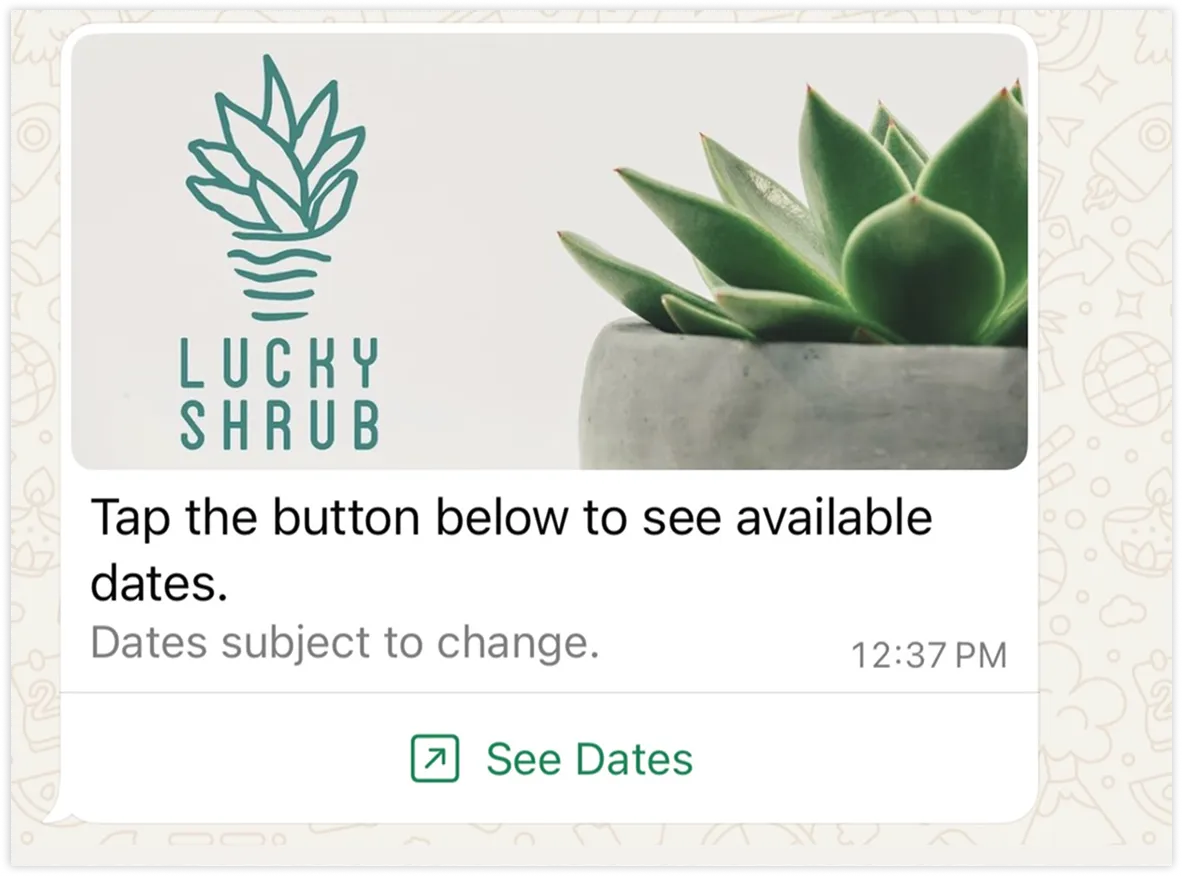
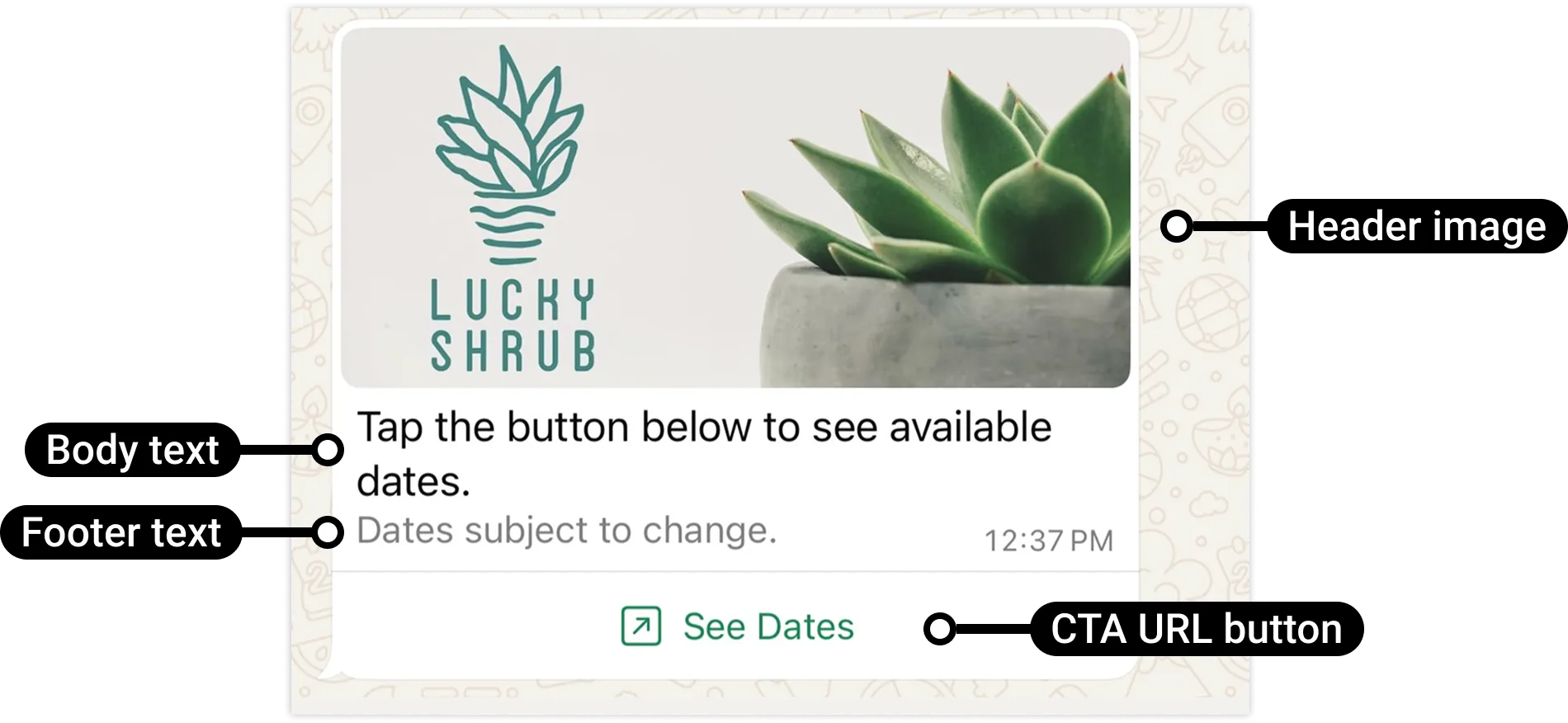
<div><span>Updated: Nov 3, 2025</span></div><div>WhatsApp users may be hesitant to tap raw URLs containing lengthy or obscure strings in text messages. In these situations, you may wish to send an interactive call-to-action (CTA) URL button message instead. CTA URL button messages allow you to map any URL to a button so you don't have to include the raw URL in the message body.</div><div>![](https://support2.chatarchitect.com/uploads/images/gallery/2026-04/embedded-image-6gc5fu9y.png)</div><div id="bkmrk-request-parameters"><div id="bkmrk-request-parameters-1"><div>### Request parameters

</div></div></div><div><table><thead><tr><th><span>Placeholder </span></th><th><span>Description </span></th><th><span>Example Value </span></th></tr></thead><tbody><tr><td><div><div>`<ACCESS_TOKEN>`</div><div>*String*</div></div></td><td><div><div>**Required.**</div><div>[System token](/books/meta-whatsapp/page/access-tokens-guide-developer-documentation) or [business token](/books/meta-whatsapp/page/access-tokens-guide-developer-documentation).</div></div></td><td><div><div>```
EAAAN6tcBzAUBOZC82CW7iR2LiaZBwUHS4Y7FDtQxRUPy1PHZClDGZBZCgWdrTisgMjpFKiZAi1FBBQNO2IqZBAzdZAA16lmUs0XgRcCf6z1LLxQCgLXDEpg80d41UZBt1FKJZCqJFcTYXJvSMeHLvOdZwFyZBrV9ZPHZASSqxDZBUZASyFdzjiy2A1sippEsF4DVV5W2IlkOSr2LrMLuYoNMYBy8xQczzOKDOMccqHEZD
```

</div></div></td></tr><tr><td><div><div>`<API_VERSION>`</div><div>*String*</div></div></td><td><div><div>**Optional.**</div><div>Graph API version.</div></div></td><td><div><div>v25.0</div></div></td></tr><tr><td><div><div>`<ASSET_URL>`</div><div>*String*</div></div></td><td><div><div>**Required if using a header with a media asset.**</div><div>Asset URL on a public server.</div></div></td><td><div><div>`https://www.luckyshrub.com/assets/lucky-shrub-banner-logo-v1.png`</div></div></td></tr><tr><td><div><div>`<BODY_TEXT>`</div><div>*String*</div></div></td><td><div><div>**Required.**</div><div>Body text. URLs are automatically hyperlinked.</div><div>Maximum 1024 characters.</div></div></td><td><div><div>`Tap the button below to see available dates.`</div></div></td></tr><tr><td><div><div>`<BUTTON_LABEL_TEXT>`</div><div>*String*</div></div></td><td><div><div>**Required.**</div><div>Button label text. Must be unique if using multiple buttons.</div><div>Maximum 20 characters.</div></div></td><td><div><div>`See Dates`</div></div></td></tr><tr><td><div><div>`<BUTTON_URL>`</div></div></td><td><div><div>**Required.**</div><div>URL to load in the device's default web browser when tapped by the WhatsApp user.</div></div></td><td><div><div>`https://www.luckyshrub.com?clickID=kqDGWd24Q5TRwoEQTICY7W1JKoXvaZOXWAS7h1P76s0R7Paec4`</div></div></td></tr><tr><td><div><div>`<FOOTER_TEXT>`</div><div>*String*</div></div></td><td><div><div>**Required if using a footer.**</div><div>Footer text. URLs are automatically hyperlinked.</div><div>Maximum 60 characters.</div></div></td><td><div><div>`Dates subject to change.`</div></div></td></tr><tr><td><div><div>`<HEADER_TEXT>`</div><div>*String*</div></div></td><td><div><div>**Required if using a text header.**</div><div>Header text.</div><div>Maximum 60 characters.</div></div></td><td><div><div>`New workshop dates announced!`</div></div></td></tr><tr><td><div><div>`<WHATSAPP_BUSINESS_PHONE_NUMBER_ID>`</div><div>*String*</div></div></td><td><div><div>**Required.**</div><div>WhatsApp business phone number ID.</div></div></td><td><div><div>`106540352242922`</div></div></td></tr><tr><td><div><div>`<WHATSAPP_USER_PHONE_NUMBER>`</div><div>*String*</div></div></td><td><div><div>**Required.**</div><div>WhatsApp user phone number.</div></div></td><td><div><div>`+16505551234`</div></div></td></tr></tbody></table>

</div></div>

# Interactive list messages | Developer Documentation

<div id="bkmrk-interactive-list-mes">## Interactive list messages

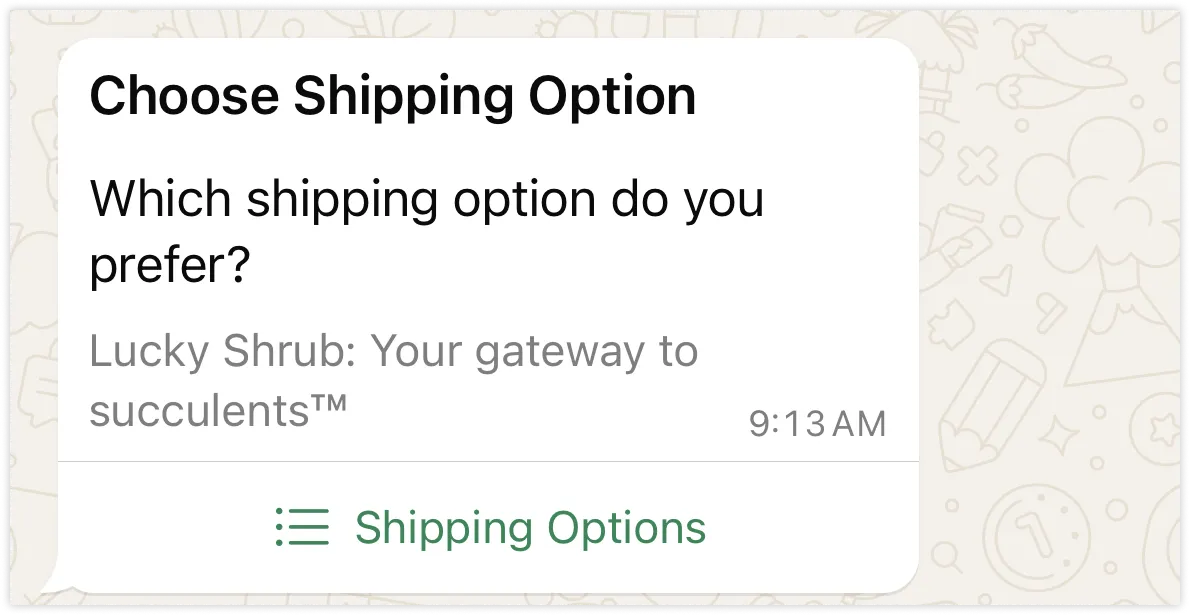
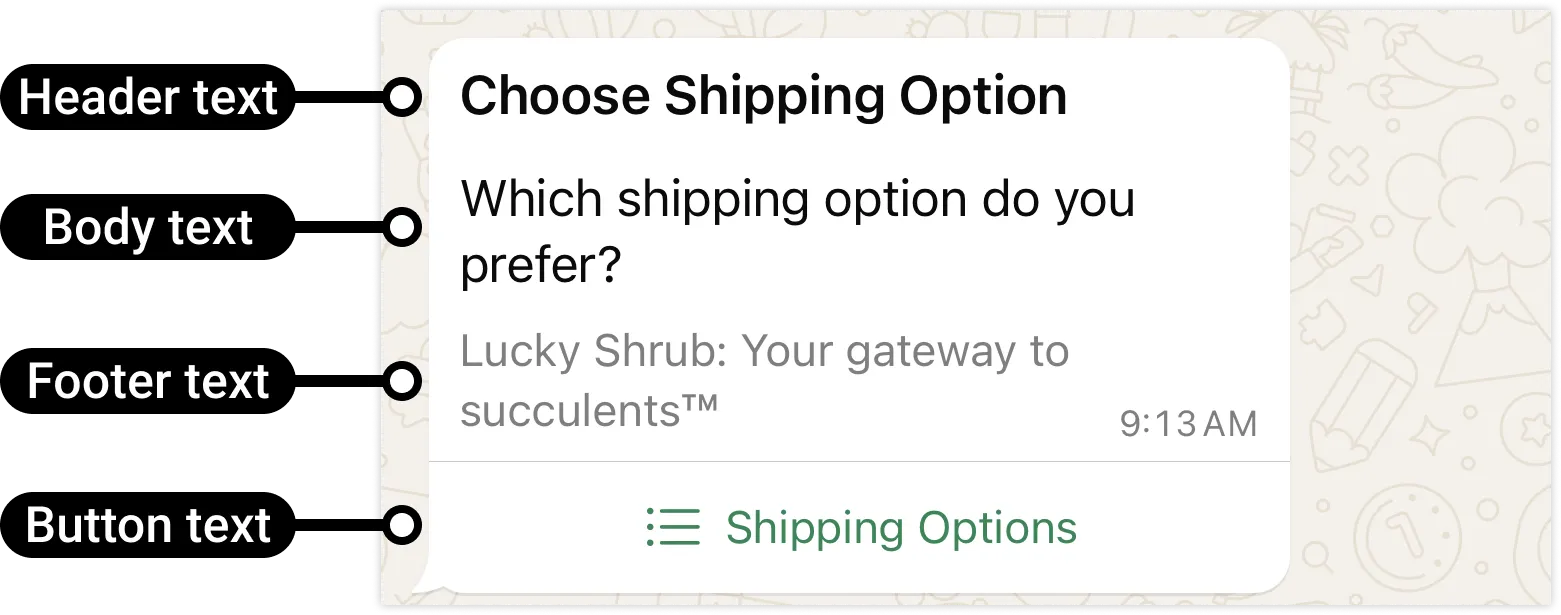
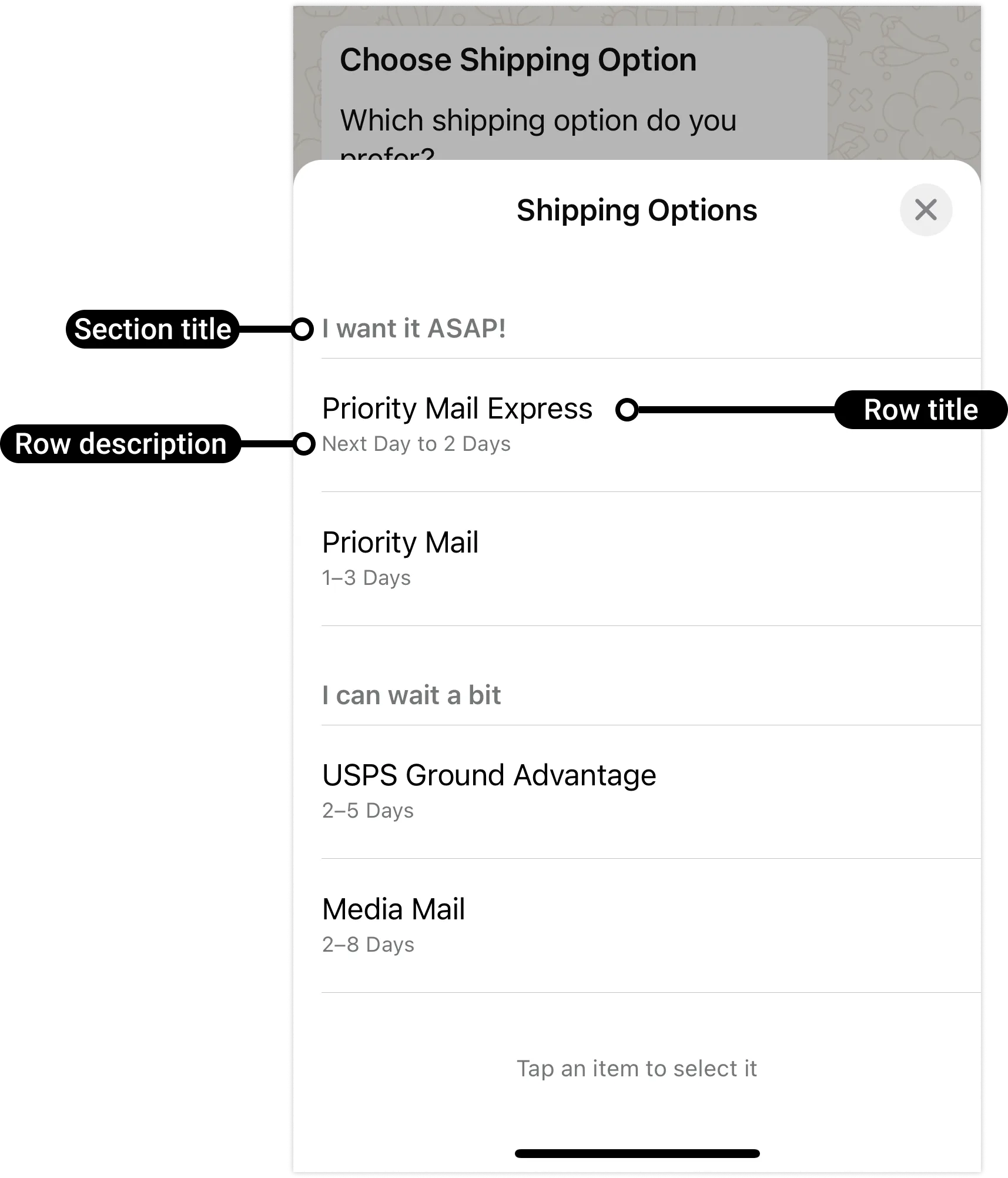
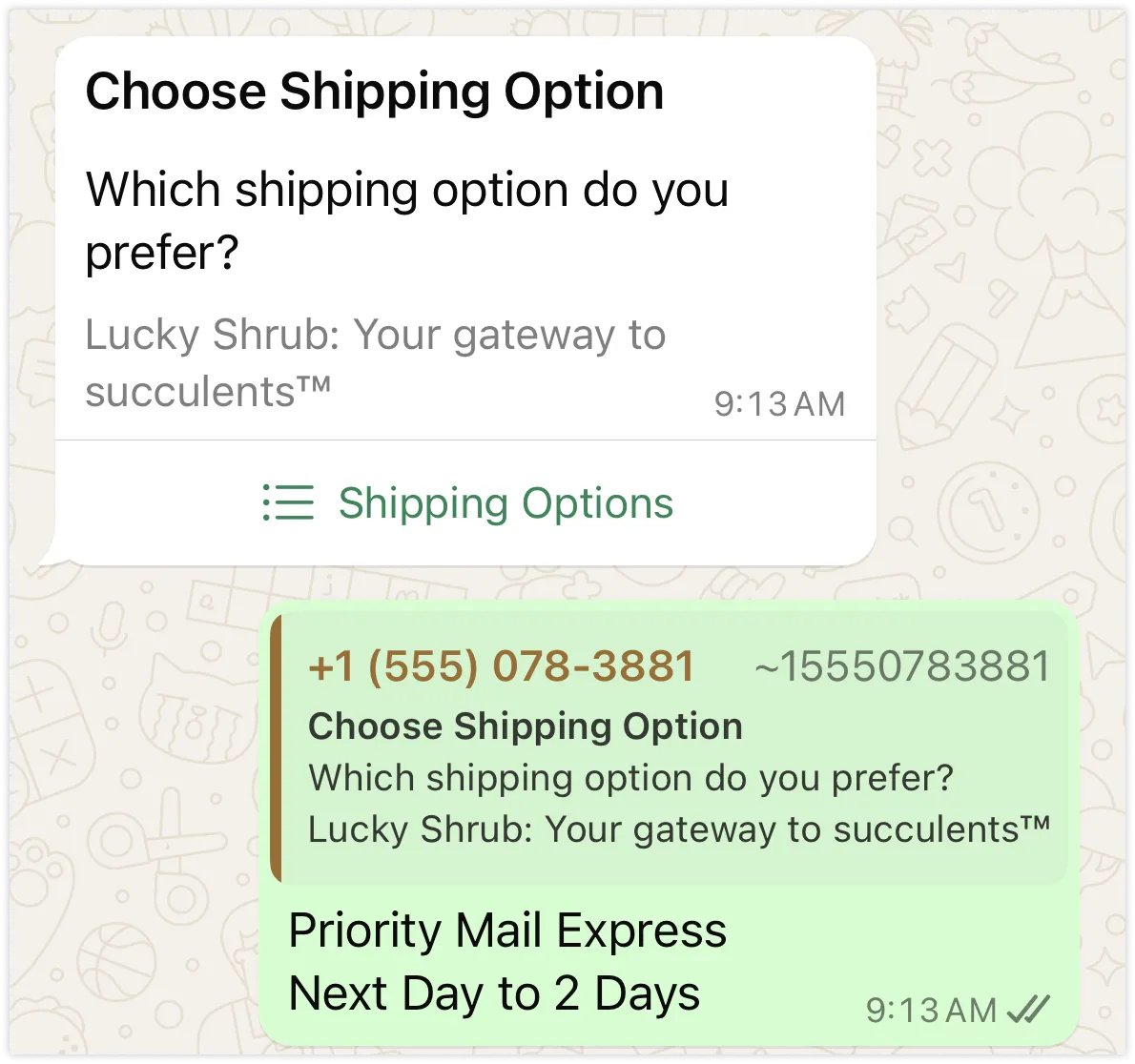
<div><span>Updated: Nov 3, 2025</span></div><div>Interactive list messages allow you to present WhatsApp users with a list of options to choose from (options are defined as rows in the request payload):</div><div>![](https://support2.chatarchitect.com/uploads/images/gallery/2026-04/embedded-image-xbp0waxp.png)</div><div>When a user taps the button in the message, it displays a modal that lists the options available:</div><div>![](https://support2.chatarchitect.com/uploads/images/gallery/2026-04/embedded-image-fc0ztroe.png)</div><div>Users can then choose one option and their selection will be sent as a reply:</div><div>![](https://support2.chatarchitect.com/uploads/images/gallery/2026-04/embedded-image-lrj9dcac.png)</div><div>This triggers a webhook, which identifies the option selected by the user.</div><div>Interactive list messages support up to 10 sections, with up to 10 rows for all sections combined, and can include an optional header and footer.</div><div id="bkmrk-request-parameters"><div id="bkmrk-request-parameters-1"><div>### Request parameters

</div></div></div><div><table><thead><tr><th><span>Placeholder </span></th><th><span>Description </span></th><th><span>Sample Value </span></th></tr></thead><tbody><tr><td><div><div>`<ACCESS_TOKEN>`</div><div>*String*</div></div></td><td><div><div>**Required.**</div><div>[System token](/books/meta-whatsapp/page/access-tokens-guide-developer-documentation) or [business token](/books/meta-whatsapp/page/access-tokens-guide-developer-documentation).</div></div></td><td><div><div>```
EAAAN6tcBzAUBOZC82CW7iR2LiaZBwUHS4Y7FDtQxRUPy1PHZClDGZBZCgWdrTisgMjpFKiZAi1FBBQNO2IqZBAzdZAA16lmUs0XgRcCf6z1LLxQCgLXDEpg80d41UZBt1FKJZCqJFcTYXJvSMeHLvOdZwFyZBrV9ZPHZASSqxDZBUZASyFdzjiy2A1sippEsF4DVV5W2IlkOSr2LrMLuYoNMYBy8xQczzOKDOMccqHEZD
```

</div></div></td></tr><tr><td><div><div>`<API_VERSION>`</div><div>*String*</div></div></td><td><div><div>**Optional.**</div><div>Graph API version.</div></div></td><td><div><div>v25.0</div></div></td></tr><tr><td><div><div>`<BUTTON_TEXT>`</div><div>*String*</div></div></td><td><div><div>**Required.**</div><div>Button label text. When tapped, reveals rows (options the WhatsApp user can tap). Supports a single button.</div><div>Maximum 20 characters.</div></div></td><td><div><div>`Shipping Options`</div></div></td></tr><tr><td><div><div>`<MESSAGE_BODY_TEXT>`</div><div>*String*</div></div></td><td><div><div>**Required.**</div><div>Message body text. Supports URLs.</div><div>Maximum 4096 characters.</div></div></td><td><div><div>`Which shipping option do you prefer?`</div></div></td></tr><tr><td><div><div>`<MESSAGE_FOOTER_TEXT>`</div><div>*String*</div></div></td><td><div><div>**Optional.**</div><div>Message footer text.</div><div>Maximum 60 characters.</div></div></td><td><div><div>`Lucky Shrub: Your gateway to succulentsT`</div></div></td></tr><tr><td><div><div>`<MESSAGE_HEADER_TEXT>`</div><div>*String*</div></div></td><td><div><div>**Optional.**</div><div>The `header` object is optional. Supports `text` header type only.</div><div>Maximum 60 characters.</div></div></td><td><div><div>`Choose Shipping Option`</div></div></td></tr><tr><td><div><div>`<ROW_DESCRIPTION_TEXT>`</div><div>*String*</div></div></td><td><div><div>**Optional.**</div><div>Row description.</div><div>Maximum 72 characters.</div></div></td><td><div><div>`Next Day to 2 Days`</div></div></td></tr><tr><td><div><div>`<ROW_ID>`</div><div>*String*</div></div></td><td><div><div>**Required.**</div><div>At least one row is required. Supports up to 10 rows.</div><div>Maximum 200 characters.</div></div></td><td><div><div>`priority_express`</div></div></td></tr><tr><td><div><div>`<ROW_TITLE_TEXT>`</div><div>*String*</div></div></td><td><div><div>**Required.**</div><div>Row title. At least 1 row is required. Supports up to 10 rows.</div><div>Maximum 24 characters.</div></div></td><td><div><div>`Priority Mail Express`</div></div></td></tr><tr><td><div><div>`<SECTION_TITLE_TEXT>`</div><div>*String*</div></div></td><td><div><div>**Required.**</div><div>Section title text. At least 1 section is required. Supports up to 10 sections.</div><div>Maximum 24 characters.</div></div></td><td><div><div>`I want it ASAP!`</div></div></td></tr><tr><td><div><div>`<WHATSAPP_BUSINESS_PHONE_NUMBER_ID>`</div><div>*String*</div></div></td><td><div><div>**Required.**</div><div>WhatsApp business phone number ID.</div></div></td><td><div><div>`106540352242922`</div></div></td></tr><tr><td><div><div>`<WHATSAPP_USER_PHONE_NUMBER>`</div><div>*String*</div></div></td><td><div><div>**Required.**</div><div>WhatsApp user phone number.</div></div></td><td><div><div>`+16505551234`</div></div></td></tr></tbody></table>

</div></div>

# Interactive media carousel messages | Developer Documentation

<div id="bkmrk-interactive-media-ca">## Interactive media carousel messages

<div><span>Updated: Dec 22, 2025</span></div><div>Interactive media carousel messages display a set of horizontally scrollable media cards. Each card can display an image or video header, body text, and either quick-reply buttons or a URL button.</div><div>For example, this is an interactive media card carousel message showing three cards in a scrollable area (highlighted by a dotted rectangle), each with an image header, body text, and URL button:</div><div>![](https://support2.chatarchitect.com/uploads/images/gallery/2026-04/embedded-image-uapyfjqo.png)</div><div>This is the same message, but using quick-reply buttons instead of URL buttons:</div><div>![](https://support2.chatarchitect.com/uploads/images/gallery/2026-04/embedded-image-ysgvfdzr.png)</div><div id="bkmrk-components"><div id="bkmrk-components-1"><div>### Components

</div></div></div>
<span>Messages must include between 2 and 10 cards.</span><span>Main message body text is required.</span><span>Main message headers, footers, and interactive components are not supported.</span><span>Cards must include either an image or video header. Other header types are not supported.</span><span>Card body text is optional.</span><span>Cards must include either one URL button, or one or more quick-reply buttons. Button types and numbers must match across all cards (for example, if you define a card with 2 quick-reply buttons, all cards must define exactly 2 quick-reply buttons).</span><div id="bkmrk-request-parameters"><div id="bkmrk-request-parameters-1"><div>### Request parameters

</div></div></div><div><table><thead><tr><th><span>Placeholder</span></th><th><span>Description</span></th><th><span>Example value</span></th></tr></thead><tbody><tr><td><div>`<ACCESS_TOKEN>`  
  
*String*</div></td><td><div>**Required.**  
  
Access token.</div></td><td><div>`EAAJB...`</div></td></tr><tr><td><div>`<API_VERSION>`  
  
*String*</div></td><td><div>**Optional.**  
  
API version.</div></td><td><div>`v23.0`</div></td></tr><tr><td><div>`<BUSINESS_PHONE_NUMBER_ID>`  
  
*Integer*</div></td><td><div>**Required.**  
  
Business phone number ID.</div></td><td><div>`106540352242922`</div></td></tr><tr><td><div>`<CARD_BODY_TEXT>`  
  
*String*</div></td><td><div>**Optional.**  
  
Card body text. Max 160 characters, and up to 2 line breaks.</div></td><td><div>`*Blue Echeveria*\n\nA rosette-shaped succulent with powdery blue leaves, perfect for brightening up any space.`</div></td></tr><tr><td><div>`<CARD_INDEX>`  
  
*Integer*</div></td><td><div>**Required.**  
  
Zero-index card index. Cards will appear left to right in scrollable view, starting from 0.</div></td><td><div>`0`</div></td></tr><tr><td><div>`<HEADER_TYPE>`  
  
*String*</div></td><td><div>**Required.**  
  
Header type. Value can be:   
  
`image` - Indicates a card image header.   
  
`video` - Indicates a card video header.   
  
See [Supported media types](/books/meta-whatsapp/page/media-developer-documentation).</div></td><td><div>`image`</div></td></tr><tr><td><div>`<MEDIA_ASSET_URL>`  
  
*String*</div></td><td><div>**Required.**  
  
Publicly available media asset URL.</div></td><td><div>`https://www.luckyshrub.com/assets/blue-echeveria.jpeg`</div></td></tr><tr><td><div>`<MESSAGE_BODY_TEXT>`  
  
*String*</div></td><td><div>**Required.**  
  
Main message body text. Maximum 1024 characters.</div></td><td><div>`Of course! Here are three of our latest arrivals, each under $25:`</div></td></tr><tr><td><div>`<QUICK_REPLY_BUTTON_ID>`  
  
*String*</div></td><td><div>**Required if using a quick-reply button.**  
  
Quick-reply button ID. Maximum 256 characters.</div></td><td><div>`learn-blue-echeveria`</div></td></tr><tr><td><div>`<QUICK_REPLY_BUTTON_LABEL>`  
  
*String*</div></td><td><div>**Required if using a quick-reply button.**  
  
Quick-reply button label text. Maximum 20 characters.</div></td><td><div>`Learn more`</div></td></tr><tr><td><div>`<URL_BUTTON_LABEL>`  
  
*String*</div></td><td><div>**Required if using a URL button.**  
  
URL button label text. Maximum 20 characters.</div></td><td><div>`Buy now`</div></td></tr><tr><td><div>`<URL_BUTTON_URL>`  
  
*String*</div></td><td><div>**Required if using a URL button.**  
  
URL to load in the device's default web browser when tapped by the user.</div></td><td><div>`https://shop.luckyshrub.com/latest/blue-echeveria`</div></td></tr><tr><td><div>`<USER_PHONE_NUMBER>`  
  
*String*</div></td><td><div>**Required.**  
  
WhatsApp user phone number.</div></td><td><div>`16505551234`</div></td></tr></tbody></table>

</div></div>

# Location messages | Developer Documentation

<div id="bkmrk-location-messagesupd">## Location messages

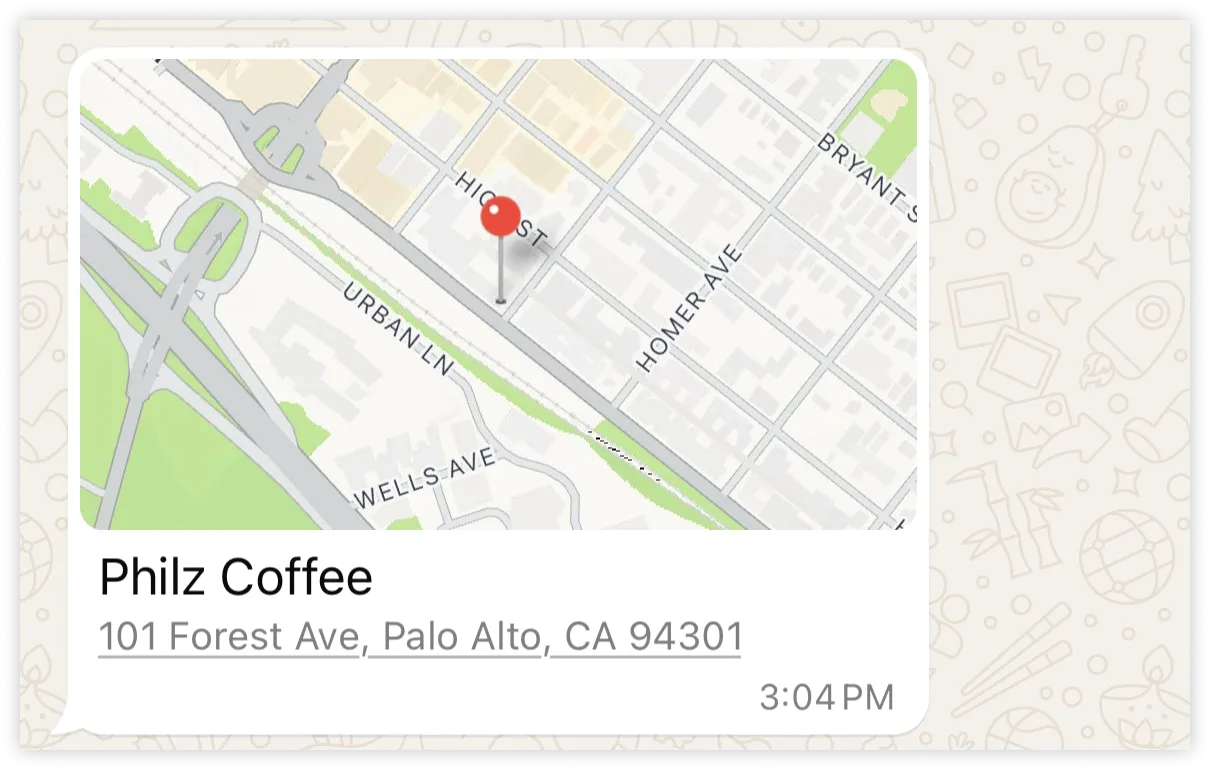
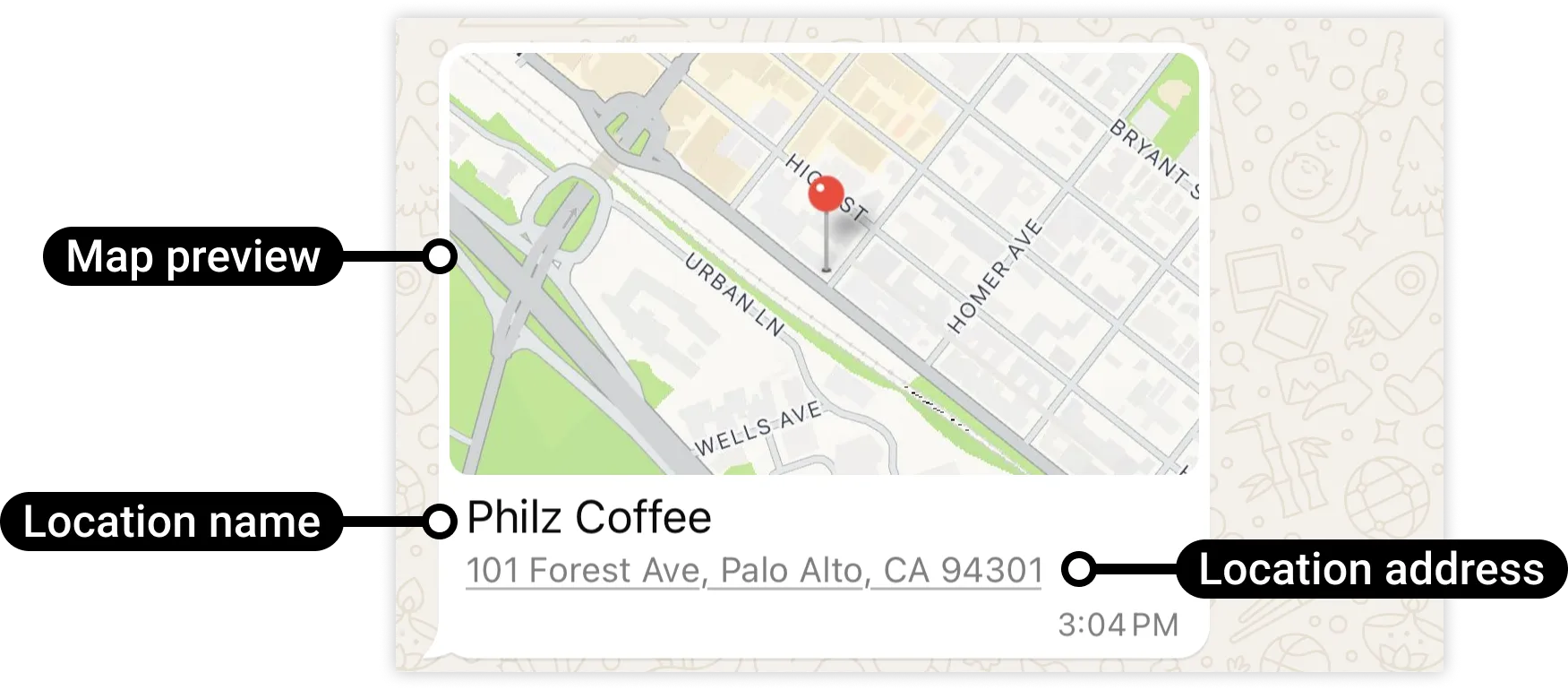
<div><span>Updated: Nov 3, 2025</span></div><div>Location messages allow you to send a location's latitude and longitude coordinates to a WhatsApp user.</div><div>![](https://support2.chatarchitect.com/uploads/images/gallery/2026-04/embedded-image-nbe6tmte.png)</div><div id="bkmrk-request-parameters"><div id="bkmrk-request-parameters-1"><div>### Request parameters

</div></div></div><div><table><thead><tr><th><span>Placeholder </span></th><th><span>Description </span></th><th><span>Example Value </span></th></tr></thead><tbody><tr><td><div><div>`<ACCESS_TOKEN>`</div><div>*String*</div></div></td><td><div><div>**Required.**</div><div>[System token](/books/meta-whatsapp/page/access-tokens-guide-developer-documentation) or [business token](/books/meta-whatsapp/page/access-tokens-guide-developer-documentation).</div></div></td><td><div><div>```
EAAAN6tcBzAUBOZC82CW7iR2LiaZBwUHS4Y7FDtQxRUPy1PHZClDGZBZCgWdrTisgMjpFKiZAi1FBBQNO2IqZBAzdZAA16lmUs0XgRcCf6z1LLxQCgLXDEpg80d41UZBt1FKJZCqJFcTYXJvSMeHLvOdZwFyZBrV9ZPHZASSqxDZBUZASyFdzjiy2A1sippEsF4DVV5W2IlkOSr2LrMLuYoNMYBy8xQczzOKDOMccqHEZD
```

</div></div></td></tr><tr><td><div><div>`<API_VERSION>`</div><div>*String*</div></div></td><td><div><div>**Optional.**</div><div>Graph API version.</div></div></td><td><div><div>v25.0</div></div></td></tr><tr><td><div><div>`<LOCATION_ADDRESS>`</div><div>*String*</div></div></td><td><div><div>**Optional.**</div><div>Location address.</div></div></td><td><div><div>`101 Forest Ave, Palo Alto, CA 94301`</div></div></td></tr><tr><td><div><div>`<LOCATION_LATITUDE>`</div><div>*String*</div></div></td><td><div><div>**Required.**</div><div>Location latitude in decimal degrees.</div></div></td><td><div><div>`37.44216251868683`</div></div></td></tr><tr><td><div><div>`<LOCATION_LONGITUDE>`</div><div>*String*</div></div></td><td><div><div>**Required.**</div><div>Location longitude in decimal degrees.</div></div></td><td><div><div>`-122.16153582049394`</div></div></td></tr><tr><td><div><div>`<LOCATION_NAME>`</div><div>*String*</div></div></td><td><div><div>**Optional.**</div><div>Location name.</div></div></td><td><div><div>`Philz Coffee`</div></div></td></tr><tr><td><div><div>`<WHATSAPP_BUSINESS_PHONE_NUMBER_ID>`</div><div>*String*</div></div></td><td><div><div>**Required.**</div><div>WhatsApp business phone number ID.</div></div></td><td><div><div>`106540352242922`</div></div></td></tr><tr><td><div><div>`<WHATSAPP_USER_PHONE_NUMBER>`</div><div>*String*</div></div></td><td><div><div>**Required.**</div><div>WhatsApp user phone number.</div></div></td><td><div><div>`+16505551234`</div></div></td></tr></tbody></table>

</div></div>

# Location request messages | Developer Documentation

<div id="bkmrk-location-request-mes">## Location request messages

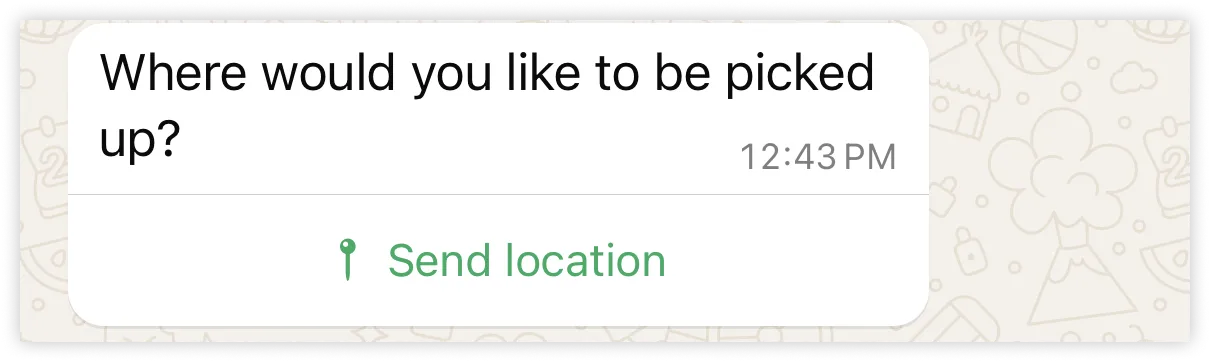
<div><span>Updated: Nov 3, 2025</span></div><div>Location request messages display **body text** and a **send location button**. When a WhatsApp user taps the button, a location sharing screen appears which the user can then use to share their location.</div><div><div>![](https://support2.chatarchitect.com/uploads/images/gallery/2026-04/embedded-image-stixqhzs.png)</div></div><div>  
Once the user shares their location, a **messages** webhook is triggered, containing the user's location details.</div><div id="bkmrk-request-parameters"><div id="bkmrk-request-parameters-1"><div>### Request parameters

</div></div></div><div><table><thead><tr><th><span>Placeholder </span></th><th><span>Description </span></th><th><span>Example Value </span></th></tr></thead><tbody><tr><td><div><div>`<ACCESS_TOKEN>`</div><div>*String*</div></div></td><td><div><div>**Required.**</div><div>[System token](/books/meta-whatsapp/page/access-tokens-guide-developer-documentation) or [business token](/books/meta-whatsapp/page/access-tokens-guide-developer-documentation).</div></div></td><td><div><div>```
EAAAN6tcBzAUBOZC82CW7iR2LiaZBwUHS4Y7FDtQxRUPy1PHZClDGZBZCgWdrTisgMjpFKiZAi1FBBQNO2IqZBAzdZAA16lmUs0XgRcCf6z1LLxQCgLXDEpg80d41UZBt1FKJZCqJFcTYXJvSMeHLvOdZwFyZBrV9ZPHZASSqxDZBUZASyFdzjiy2A1sippEsF4DVV5W2IlkOSr2LrMLuYoNMYBy8xQczzOKDOMccqHEZD
```

</div></div></td></tr><tr><td><div><div>`<API_VERSION>`</div><div>*String*</div></div></td><td><div><div>**Optional.**</div><div>Graph API version.</div></div></td><td><div><div>v25.0</div></div></td></tr><tr><td><div><div>`<BODY_TEXT>`</div><div>*String*</div></div></td><td><div><div>**Required.**</div><div>Message body text. Supports URLs.</div><div>Maximum 1024 characters.</div></div></td><td><div><div>`Let's start with your pickup. You can either manually *enter an address* or *share your current location*.`</div></div></td></tr><tr><td><div><div>`<WHATSAPP_BUSINESS_PHONE_NUMBER_ID>`</div><div>*String*</div></div></td><td><div><div>**Required.**</div><div>WhatsApp business phone number ID.</div></div></td><td><div><div>`106540352242922`</div></div></td></tr><tr><td><div><div>`<WHATSAPP_USER_PHONE_NUMBER>`</div><div>*String*</div></div></td><td><div><div>**Required.**</div><div>WhatsApp user phone number.</div></div></td><td><div><div>`+16505551234`</div></div></td></tr></tbody></table>

</div><div id="bkmrk-webhook-syntax"><div id="bkmrk-webhook-syntax-1"><div>### Webhook syntax

</div></div></div><div>When a WhatsApp user shares their location in response to your message, a **messages** webhook is triggered containing the user's location details.</div><div id="bkmrk-webhook-parameters"><div id="bkmrk-webhook-parameters-1"><div>### Webhook parameters

</div></div></div><div><table><thead><tr><th><span>Placeholder </span></th><th><span>Description </span></th><th><span>Example Value </span></th></tr></thead><tbody><tr><td><div><div>`<LOCATION_ADDRESS>`</div><div>*String*</div></div></td><td><div><div>Location address.</div><div>This parameter will only appear if the WhatsApp user chooses to share it.</div></div></td><td><div><div>`1071 5th Ave, New York, NY 10128`</div></div></td></tr><tr><td><div><div>`<LOCATION_LATITUDE>`</div><div>*Number*</div></div></td><td><div><div>Location latitude in decimal degrees.</div></div></td><td><div><div>`40.782910059774`</div></div></td></tr><tr><td><div><div>`<LOCATION_LONGITUDE>`</div><div>*Number*</div></div></td><td><div><div>Location longitude in decimal degrees.</div></div></td><td><div><div>`-73.959075808525`</div></div></td></tr><tr><td><div><div>`<LOCATION_NAME>`</div><div>*String*</div></div></td><td><div><div>Location name.</div><div>This parameter will only appear if the WhatsApp user chooses to share it.</div></div></td><td><div><div>`Solomon R. Guggenheim Museum`</div></div></td></tr><tr><td><div><div>`<TIMESTAMP>`</div><div>*String*</div></div></td><td><div><div>UNIX timestamp indicating when our servers processed the WhatsApp user's message.</div></div></td><td><div><div>`1702920965`</div></div></td></tr><tr><td><div><div>`<WHATSAPP_BUSINESS_ACCOUNT_ID>`</div><div>*String*</div></div></td><td><div><div>WhatsApp Business Account ID.</div></div></td><td><div><div>`102290129340398`</div></div></td></tr><tr><td><div><div>`<WHATSAPP_BUSINESS_DISPLAY_PHONE_NUMBER>`</div><div>*String*</div></div></td><td><div><div>WhatsApp business phone number's display number.</div></div></td><td><div><div>`15550783881`</div></div></td></tr><tr><td><div><div>`<WHATSAPP_BUSINESS_PHONE_NUMBER>`</div><div>*String*</div></div></td><td><div><div>WhatsApp business phone number.</div></div></td><td><div><div>`15550783881`</div></div></td></tr><tr><td><div><div>`<WHATSAPP_BUSINESS_PHONE_NUMBER_ID>`</div><div>*String*</div></div></td><td><div><div>WhatsApp business phone number ID.</div></div></td><td><div><div>`106540352242922`</div></div></td></tr><tr><td><div><div>`<WHATSAPP_CONTEXT_MESSAGE_ID>`</div><div>*String*</div></div></td><td><div><div>WhatsApp message ID of message that the user is responding to.</div></div></td><td><div><div>`wamid.HBgLMTY0NjcwNDM1OTUVAgARGBI1QjJGRjI1RDY0RkE4Nzg4QzcA`</div></div></td></tr><tr><td><div><div>`<WHATSAPP_MESSAGE_ID>`</div><div>*String*</div></div></td><td><div><div>WhatsApp message ID of the user's message.</div></div></td><td><div><div>`wamid.HBgLMTY0NjcwNDM1OTUVAgASGBQzQTRCRDcwNzgzMTRDNTAwRTgwRQA=`</div></div></td></tr><tr><td><div><div>`<WHATSAPP_USER_ID>`</div><div>*String*</div></div></td><td><div><div>WhatsApp user's WhatsApp ID.</div></div></td><td><div><div>`16505551234`</div></div></td></tr><tr><td><div><div>`<WHATSAPP_USER_NAME>`</div><div>*String*</div></div></td><td><div><div>WhatsApp user's name.</div></div></td><td><div><div>`Pablo Morales`</div></div></td></tr></tbody></table>

</div></div>

# Reaction messages | Developer Documentation

<div id="bkmrk-reaction-messagesupd">## Reaction messages

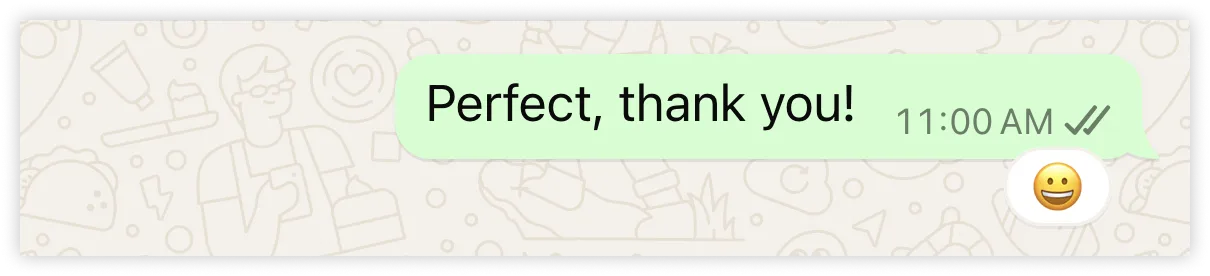
<div><span>Updated: Nov 3, 2025</span></div><div>Reaction messages are emoji-reactions that you can apply to a previous WhatsApp user message that you have received.</div><div>![](https://support2.chatarchitect.com/uploads/images/gallery/2026-04/embedded-image-asihux1p.png)</div><div id="bkmrk-limitations"><div id="bkmrk-limitations-1"><div>### Limitations

</div></div></div><div>When sending a reaction message, only a [sent message webhook](/books/meta-whatsapp/page/status-messages-webhook-reference-developer-documentation) (`status` set to `sent`) will be triggered; delivered and read message webhooks will not be triggered.</div><div id="bkmrk-request-parameters"><div id="bkmrk-request-parameters-1"><div>### Request parameters

</div></div></div><div><table><thead><tr><th><span>Placeholder </span></th><th><span>Description </span></th><th><span>Example Value </span></th></tr></thead><tbody><tr><td><div><div>`<ACCESS_TOKEN>`</div><div>*String*</div></div></td><td><div><div>**Required.**</div><div>[System token](/books/meta-whatsapp/page/access-tokens-guide-developer-documentation) or [business token](/books/meta-whatsapp/page/access-tokens-guide-developer-documentation).</div></div></td><td><div><div>```
EAAAN6tcBzAUBOZC82CW7iR2LiaZBwUHS4Y7FDtQxRUPy1PHZClDGZBZCgWdrTisgMjpFKiZAi1FBBQNO2IqZBAzdZAA16lmUs0XgRcCf6z1LLxQCgLXDEpg80d41UZBt1FKJZCqJFcTYXJvSMeHLvOdZwFyZBrV9ZPHZASSqxDZBUZASyFdzjiy2A1sippEsF4DVV5W2IlkOSr2LrMLuYoNMYBy8xQczzOKDOMccqHEZD
```

</div></div></td></tr><tr><td><div><div>`<API_VERSION>`</div><div>*String*</div></div></td><td><div><div>**Optional.**</div><div>Graph API version.</div></div></td><td><div><div>v25.0</div></div></td></tr><tr><td><div><div>`<EMOJI>`</div><div>*String*</div></div></td><td><div><div>**Required.**</div><div>Unicode escape sequence of the emoji, or the emoji itself, to apply to the user message.</div></div></td><td><div><div>Unicode escape sequence example:</div><div>`\uD83D\uDE00`</div><div>Emoji example:</div><div>??</div></div></td></tr><tr><td><div><div>`<WHATSAPP_MESSAGE_ID>`</div><div>*String*</div></div></td><td><div><div>**Required.**</div><div>WhatsApp message ID of message you want to apply the emoji to.</div><div>If the message you are reacting to is more than 30 days old, doesn't correspond to any message in the chat thread, has been deleted, or is itself a reaction message, the reaction message will not be delivered and you will receive a **messages** webhook with error code `131009`.</div></div></td><td><div><div>`wamid.HBgLMTY0NjcwNDM1OTUVAgASGBQzQUZCMTY0MDc2MUYwNzBDNTY5MAA=`</div></div></td></tr><tr><td><div><div>`<WHATSAPP_BUSINESS_PHONE_NUMBER_ID>`</div><div>*String*</div></div></td><td><div><div>**Required.**</div><div>WhatsApp business phone number ID.</div></div></td><td><div><div>`106540352242922`</div></div></td></tr><tr><td><div><div>`<WHATSAPP_USER_PHONE_NUMBER>`</div><div>*String*</div></div></td><td><div><div>**Required.**</div><div>WhatsApp user phone number.</div></div></td><td><div><div>`+16505551234`</div></div></td></tr></tbody></table>

</div></div>

# Template Messages | Developer Documentation

<div id="bkmrk-template-messagesupd">## Template Messages

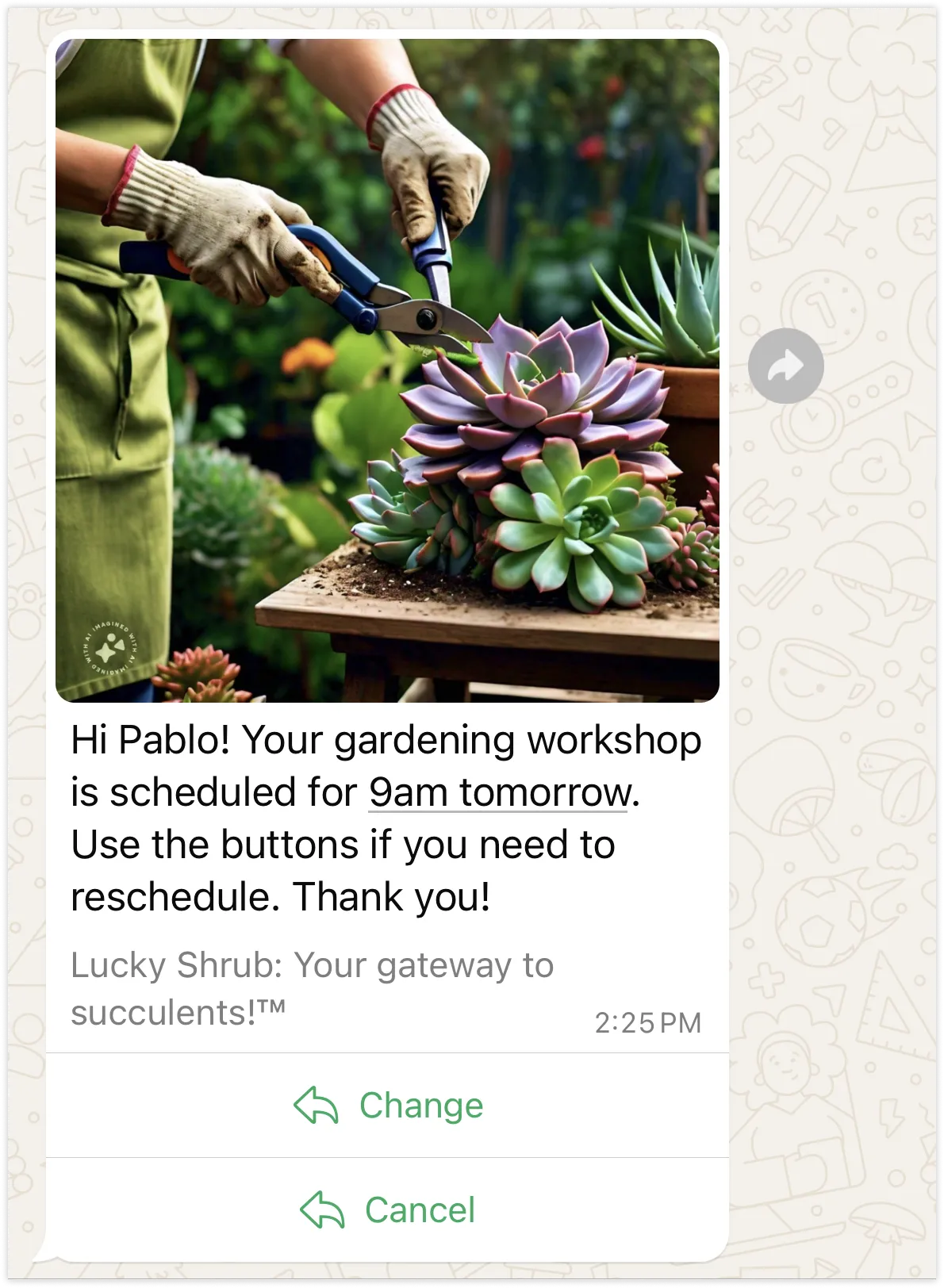
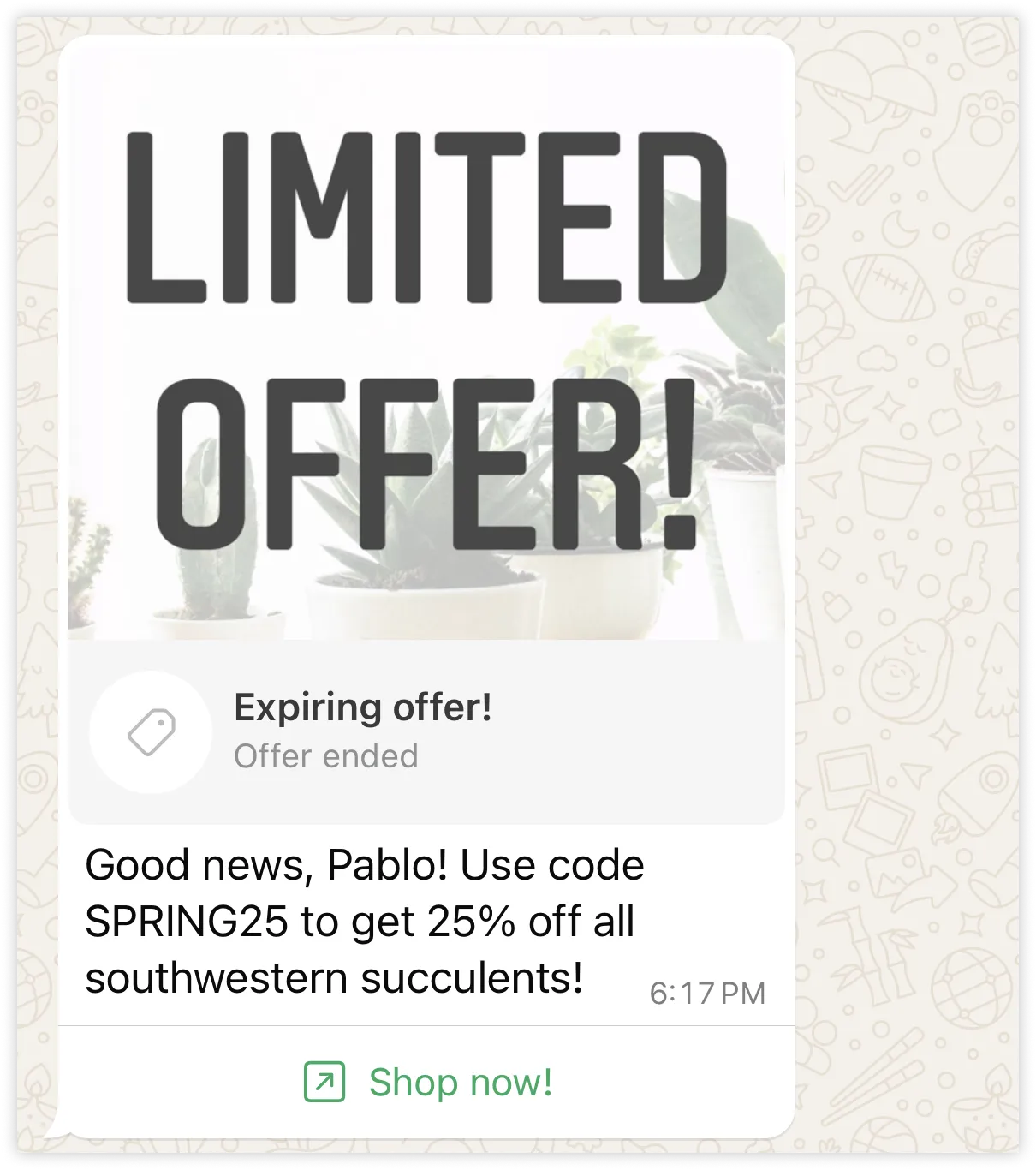
<div><span>Updated: Nov 4, 2025</span></div><div>Template messages are used to send [templates](/books/meta-whatsapp/page/templates-developer-documentation) to WhatsApp users. Templates can cover customer care messages, appointment reminders, payment and shipping updates, and much more.</div><div>![](https://support2.chatarchitect.com/uploads/images/gallery/2026-04/embedded-image-iluwjzdu.png)</div><div>Templates are reusable and can be sent to WhatsApp users outside of a [customer service window](/books/meta-whatsapp/page/sending-messages-developer-documentation), however they must be approved before they can be sent in a template message. Templates are also subject to multiple processes that can affect your ability to send them to users, such as quality scores, pausing, and pacing.</div><div>Because there’s a lot to know about templates, we have dedicated [Templates](/books/meta-whatsapp/page/templates-developer-documentation) documentation that explains how to use them effectively.</div></div>

# Text messages | Developer Documentation

<div id="bkmrk-text-messagesupdated">## Text messages

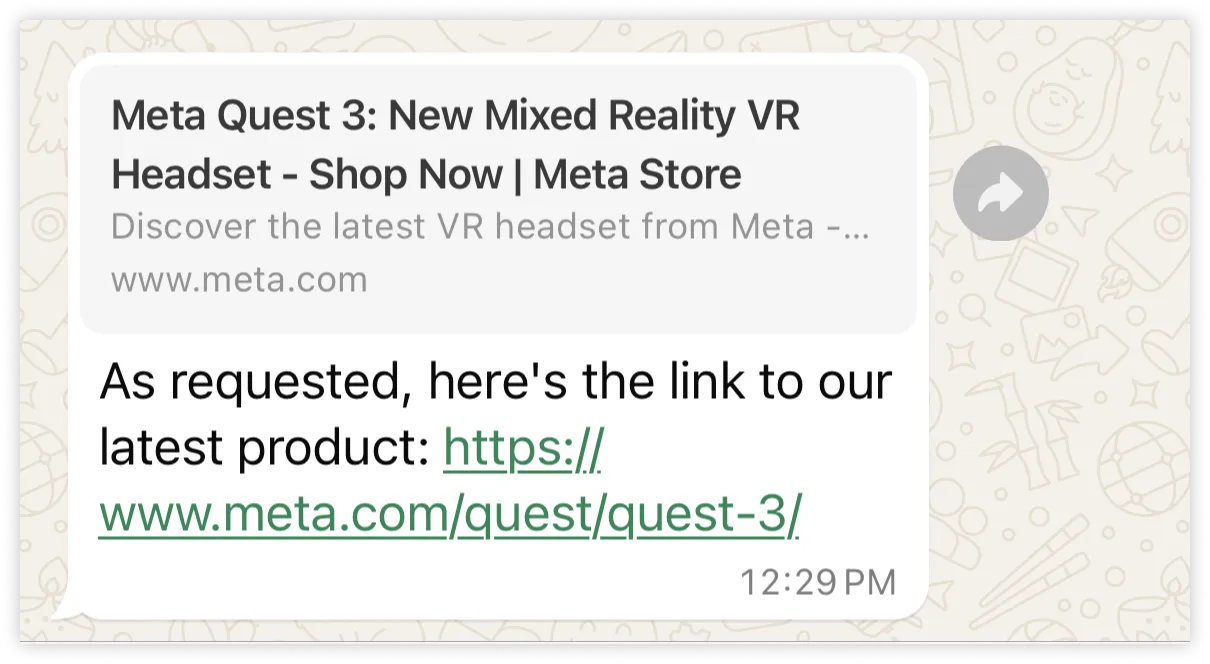
<div><span>Updated: Nov 3, 2025</span></div><div>Text messages are messages containing only a text body and an optional link preview.</div><div>![](https://support2.chatarchitect.com/uploads/images/gallery/2026-04/embedded-image-de0wm2g1.png)</div><div id="bkmrk-link-preview"><div id="bkmrk-link-preview-1"><div>### Link preview

</div></div></div><div>You can have the WhatsApp client attempt to render a preview of the first URL in the body text string, if it contains one. URLs must begin with `http://` or `https://`. If multiple URLs are in the body text string, only the first URL will be rendered.</div><div>If omitted, or if unable to retrieve a link preview, a clickable link will be rendered instead.</div></div>

# Video Messages | Developer Documentation

<div id="bkmrk-video-messagesupdate">## Video Messages

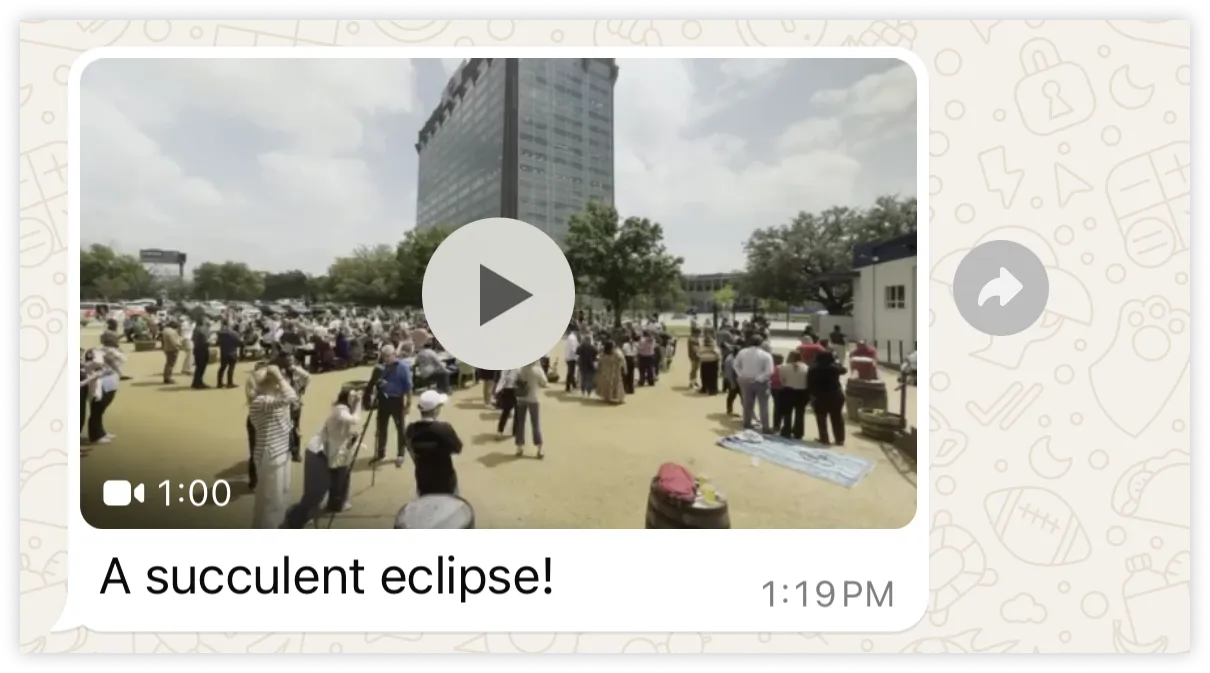
<div><span>Updated: Nov 3, 2025</span></div><div>Video messages display a thumbnail preview of a video image with an optional caption. When the WhatsApp user taps the preview, it loads the video and displays it to the user.</div><div>![](https://support2.chatarchitect.com/uploads/images/gallery/2026-04/embedded-image-cojosm5z.png)</div><div id="bkmrk-supported-video-form"><div id="bkmrk-supported-video-form-1"><div>### Supported Video Formats

</div></div></div><div>Only H.264 video codec and AAC audio codec supported. Single audio stream or no audio stream only.</div><div>Note that videos encoded with the H.264 “High” profile and B-frames are not supported by Android WhatsApp clients. We recommend that you use H.264 “Main” profile without B-frames, or the H.264 “Baseline” profile when encoding (or re-encoding with a tool like ffmpeg), and place moov boxes before mdat boxes, for broader compatibility. If you are using ffmpeg, you can use the -movflags faststart flag to place moov boxes before mdata boxes.</div><div><table><thead><tr><th><span>Video Type </span></th><th><span>Extension </span></th><th><span>MIME Type </span></th><th><span>Max Size </span></th></tr></thead><tbody><tr><td><div><div>3GPP</div></div></td><td><div><div>.3gp</div></div></td><td><div><div>video/3gpp</div></div></td><td><div><div>16 MB</div></div></td></tr><tr><td><div><div>MP4 Video</div></div></td><td><div><div>.mp4</div></div></td><td><div><div>video/mp4</div></div></td><td><div><div>16 MB</div></div></td></tr></tbody></table>

</div></div>

# Mark messages as read | Developer Documentation

<div id="bkmrk-mark-messages-as-rea">## Mark messages as read

<div><span>Updated: Nov 3, 2025</span></div><div>When you get a **messages** webhook indicating an [incoming message](/books/meta-whatsapp/page/sending-messages-developer-documentation), you can use the `message.id` value to mark the message as read.</div><div>![](https://support2.chatarchitect.com/uploads/images/gallery/2026-04/embedded-image-5sw38qw0.png)</div><div>It's good practice to mark an incoming messages as read within 30 days of receipt. Marking a message as read will also mark earlier messages in the thread as read.</div><div id="bkmrk-request-parameters"><div id="bkmrk-request-parameters-1"><div>### Request parameters

</div></div></div><div><table><thead><tr><th><span>Placeholder </span></th><th><span>Description </span></th><th><span>Example value </span></th></tr></thead><tbody><tr><td><div><div>`<ACCESS_TOKEN>`</div><div>*String*</div></div></td><td><div><div>**Required.**</div><div>[System token](/books/meta-whatsapp/page/access-tokens-guide-developer-documentation) or [business token](/books/meta-whatsapp/page/access-tokens-guide-developer-documentation).</div></div></td><td><div><div>```
EAAAN6tcBzAUBOZC82CW7iR2LiaZBwUHS4Y7FDtQxRUPy1PHZClDGZBZCgWdrTisgMjpFKiZAi1FBBQNO2IqZBAzdZAA16lmUs0XgRcCf6z1LLxQCgLXDEpg80d41UZBt1FKJZCqJFcTYXJvSMeHLvOdZwFyZBrV9ZPHZASSqxDZBUZASyFdzjiy2A1sippEsF4DVV5W2IlkOSr2LrMLuYoNMYBy8xQczzOKDOMccqHEZD
```

</div></div></td></tr><tr><td><div><div>`<API_VERSION>`</div><div>*String*</div></div></td><td><div><div>**Optional.**</div><div>Graph API version.</div></div></td><td><div><div>v25.0</div></div></td></tr><tr><td><div><div>`<WHATSAPP_BUSINESS_PHONE_NUMBER_ID>`</div><div>*String*</div></div></td><td><div><div>**Required.**</div><div>WhatsApp business phone number ID.</div></div></td><td><div><div>`106540352242922`</div></div></td></tr><tr><td><div><div>`<WHATSAPP_MESSAGE_ID>`</div><div>*String*</div></div></td><td><div><div>**Required.**</div><div>WhatsApp message ID. This ID is assigned to the `messages.id` property in **received message** [messages](/books/meta-whatsapp/page/messages-webhook-reference-developer-documentation) webhooks.</div></div></td><td><div><div>`wamid.HBgLMTY1MDM4Nzk0MzkVAgARGBJDQjZCMzlEQUE4OTJBMTE4RTUA`</div></div></td></tr></tbody></table>

</div></div>

# Contextual replies | Developer Documentation

<div id="bkmrk-contextual-repliesup">## Contextual replies

<div><span>Updated: Oct 21, 2025</span></div><div>Contextual replies are a special way of responding to a WhatsApp user message. Sending a message as a contextual reply makes it clearer to the user which message you are replying to by quoting the previous message in a contextual bubble:</div><div>![](https://support2.chatarchitect.com/uploads/images/gallery/2026-04/embedded-image-u8zyxpzw.png)</div><div id="bkmrk-limitations"><div id="bkmrk-limitations-1"><div>### Limitations

</div></div></div>
<span>You cannot send a [reaction message](/books/meta-whatsapp/page/reaction-messages-developer-documentation) as a contextual reply.</span><div>The contextual bubble will not appear at the top of the delivered message if:</div>
<span>The previous message has been deleted or moved to long term storage (messages are typically moved to long term storage after 30 days, unless you have enabled [local storage](/books/meta-whatsapp/page/local-storage-developer-documentation)).</span><span>You reply with an [audio](/books/meta-whatsapp/page/audio-messages-developer-documentation), [image](/books/meta-whatsapp/page/image-messages-developer-documentation), or [video message](/books/meta-whatsapp/page/video-messages-developer-documentation) and the WhatsApp user is running KaiOS.</span><span>You use the WhatsApp client to reply with a [push-to-talk<span>?</span>](https://l.facebook.com/l.php?u=https%3A%2F%2Ffaq.whatsapp.com%2F657157755756612%2F%3Fcms_platform%3Dweb&h=AT4kAP5uQvSKnebotwlin4EvyfFRxt3kiJ3HvwJviK4am8Y9O4M-oxZFtxH8dZcKmeszllR-UlE98pR3NVHVSjA4_ZKJMtNRgjVSX_TeDeItcXiXxqjJQa_6wNPf0vnyoBz2JoJoAMHLNVHaQI2zTg) message and the WhatsApp user is running KaiOS.</span><span>You reply with a [template message](/books/meta-whatsapp/page/template-messages-developer-documentation).</span></div>

# Address Messages | Developer Documentation

<div id="bkmrk-address-messagesupda">## Address Messages

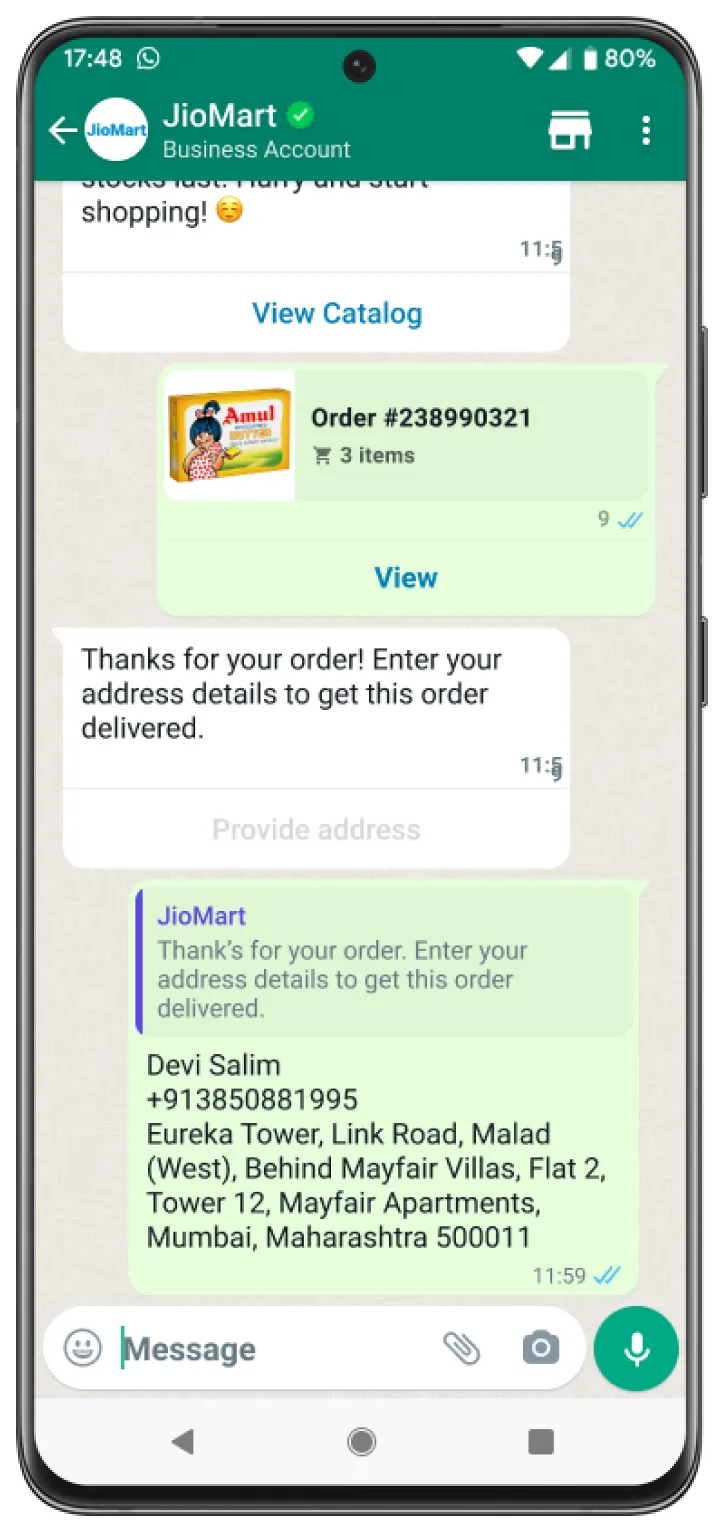
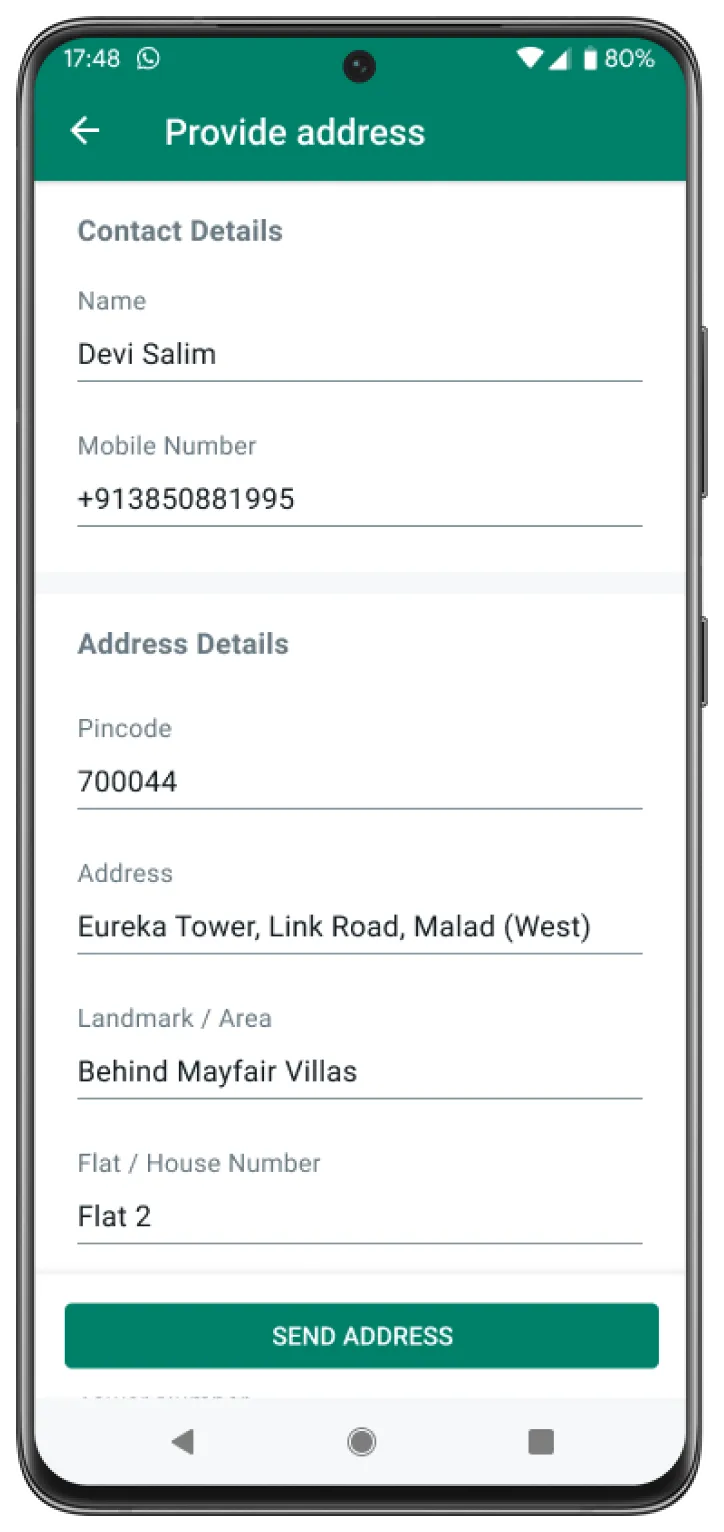
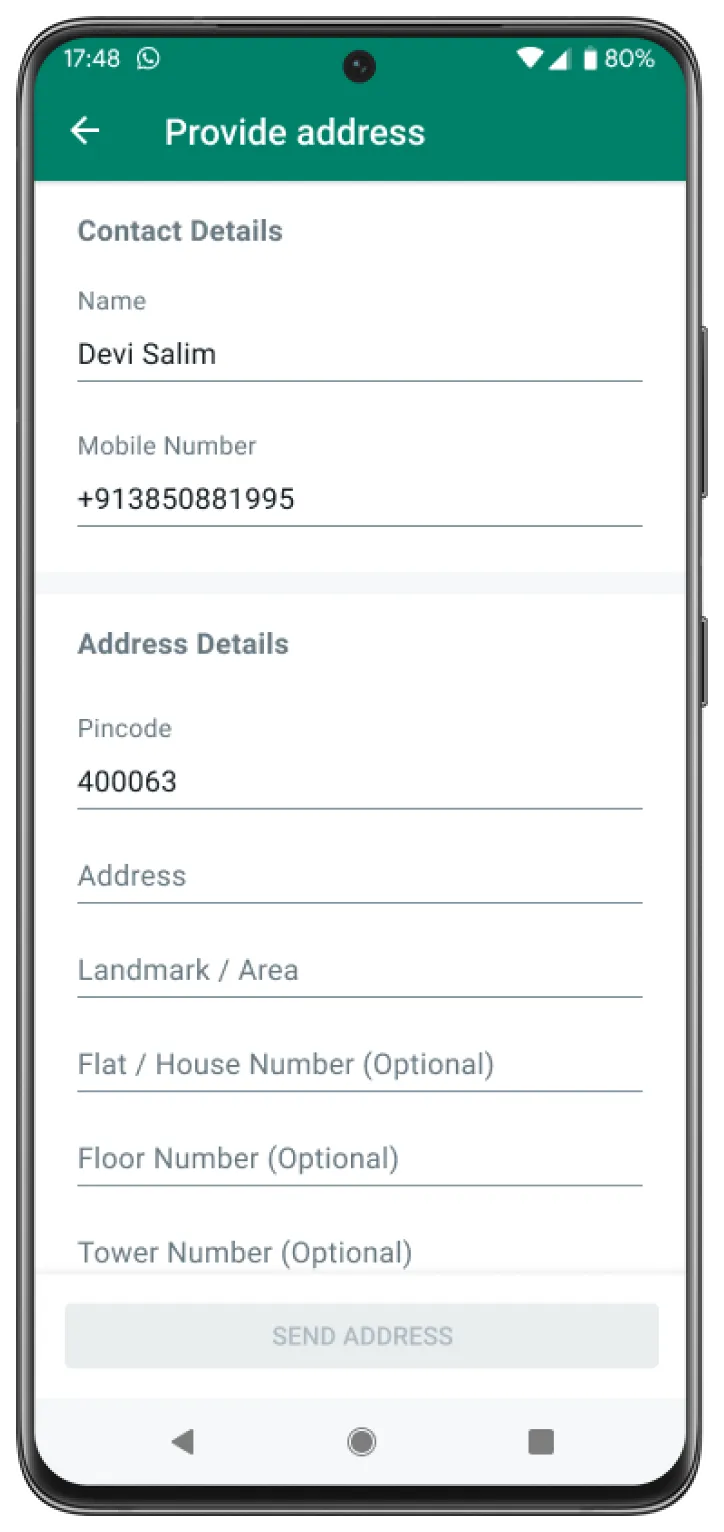
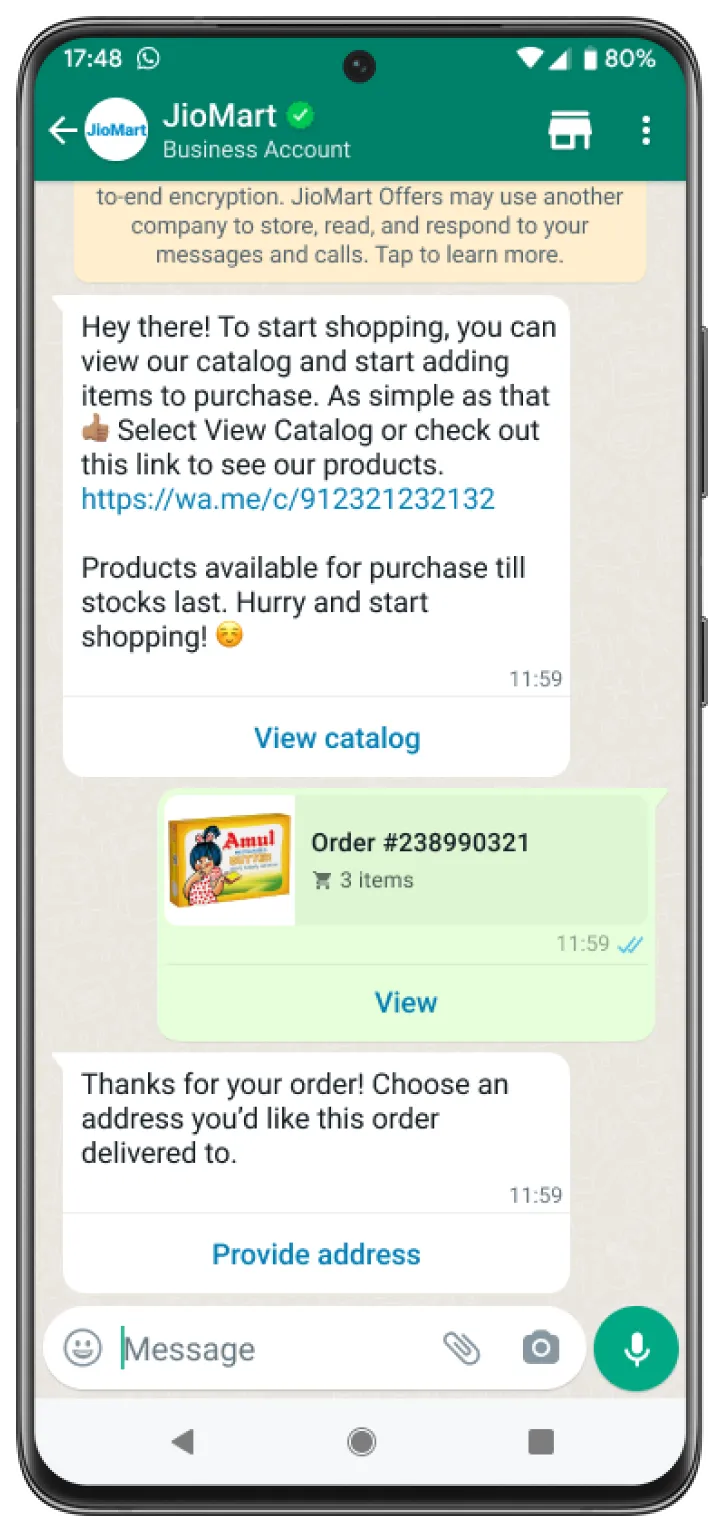
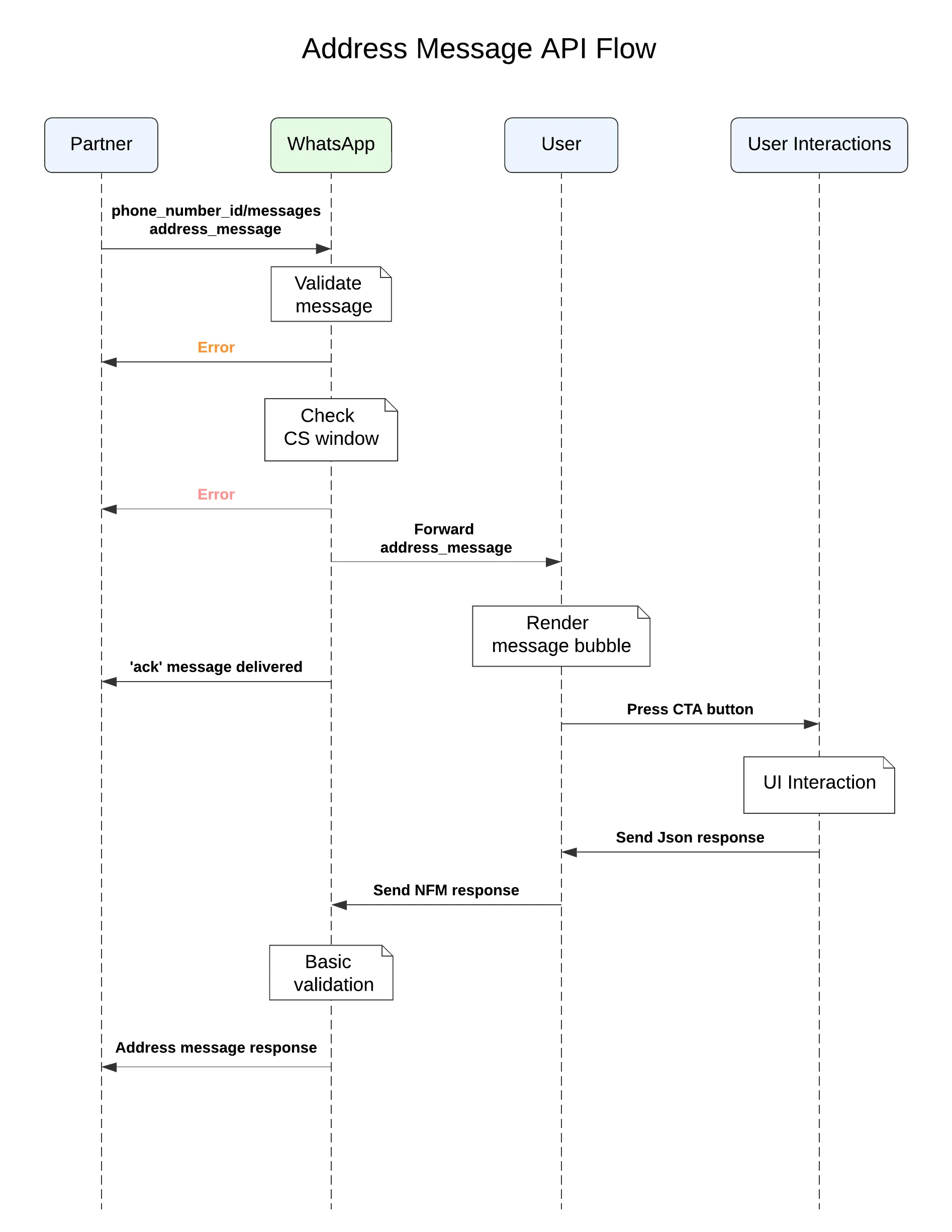
<div><span>Updated: Nov 7, 2025</span></div><div><div>This feature is only available for businesses based in India and their India customers.</div></div><div>Address messages give your users a simpler way to share the shipping address with the business on WhatsApp.</div><div>Address messages are interactive messages that contain the 4 main parts: `header`, `body`, `footer`, and `action`. Inside the action component business specifies the name “address_message” and relevant parameters.</div><div>Below table outlines the fields that are supported by the address message.</div><div><table><thead><tr><th><span>Field Name </span></th><th><span>Display Label </span></th><th><span>Input Type </span></th><th><span>Supported Countries </span></th><th><span>Limitations </span></th></tr></thead><tbody><tr><td><div><div>`name`</div></div></td><td><div><div>Name</div></div></td><td><div><div>text</div></div></td><td><div><div>India</div></div></td><td><div><div>None</div></div></td></tr><tr><td><div><div>`phone_number`</div></div></td><td><div><div>Phone Number</div></div></td><td><div><div>tel</div></div></td><td><div><div>India</div></div></td><td><div><div>Valid phone numbers only</div></div></td></tr><tr><td><div><div>`in_pin_code`</div></div></td><td><div><div>Pin Code</div></div></td><td><div><div>text</div></div></td><td><div><div>India</div></div></td><td><div><div>Max length: 6</div></div></td></tr><tr><td><div><div>`house_number`</div></div></td><td><div><div>Flat/House Number</div></div></td><td><div><div>text</div></div></td><td><div><div>India</div></div></td><td><div><div>None</div></div></td></tr><tr><td><div><div>`floor_number`</div></div></td><td><div><div>Floor Number</div></div></td><td><div><div>text</div></div></td><td><div><div>India</div></div></td><td><div><div>None</div></div></td></tr><tr><td><div><div>`tower_number`</div></div></td><td><div><div>Tower Number</div></div></td><td><div><div>text</div></div></td><td><div><div>India</div></div></td><td><div><div>None</div></div></td></tr><tr><td><div><div>`building_name`</div></div></td><td><div><div>Building/Apartment Name</div></div></td><td><div><div>text</div></div></td><td><div><div>India</div></div></td><td><div><div>None</div></div></td></tr><tr><td><div><div>`address`</div></div></td><td><div><div>Address</div></div></td><td><div><div>text</div></div></td><td><div><div>India</div></div></td><td><div><div>None</div></div></td></tr><tr><td><div><div>`landmark_area`</div></div></td><td><div><div>Landmark/Area</div></div></td><td><div><div>text</div></div></td><td><div><div>India</div></div></td><td><div><div>None</div></div></td></tr><tr><td><div><div>`city`</div></div></td><td><div><div>City</div></div></td><td><div><div>text</div></div></td><td><div><div>India</div></div></td><td><div><div>None</div></div></td></tr><tr><td><div><div>`state`</div></div></td><td><div><div>State</div></div></td><td><div><div>text</div></div></td><td><div><div>India</div></div></td><td><div><div>None</div></div></td></tr></tbody></table>

</div><div id="bkmrk-error-handling"><div id="bkmrk-error-handling-1"><div>### Error Handling

</div></div></div><div>If the area code of the phone number for the given country is not correct, businesses will be unable to request the address message from the recipient. For example, businesses will be unable to request an address message from a recipient that has the country as “India” but has a phone number with an area code of “65”.</div><div>Once the address message is sent, the business waits for the user to fill in the address and send it back. The user entered address is shared through the [webhook](/books/meta-whatsapp/page/managing-webhooks-developer-documentation) registered in the [setup process](/books/meta-whatsapp/page/managing-webhooks-developer-documentation).</div><div id="bkmrk-address-message-step"><div id="bkmrk-address-message-step-1"><div>### Address Message Steps

</div></div></div><div>The steps involved in an Address Message are the following:</div><span>Business sends an address message with the action name `address_message` to the user</span><span>User interacts with the message by clicking on the CTA, which brings up an Address Message screen. The user fills out their address and submits the form</span><span>After the address message form is submitted by the user, the partner receives a webhook notification, which contains the details of the address submitted by the user</span><div><div>**Sample India Address Message** </div></div><div><div>![Image](https://support2.chatarchitect.com/uploads/images/gallery/2026-04/embedded-image-pgj6gtg1.jpeg)![Image](https://support2.chatarchitect.com/uploads/images/gallery/2026-04/embedded-image-xjndcxdk.jpeg)![Image](https://support2.chatarchitect.com/uploads/images/gallery/2026-04/embedded-image-ugrcp5xq.jpeg)![Image](https://support2.chatarchitect.com/uploads/images/gallery/2026-04/embedded-image-vhkeilsr.jpeg)</div></div><div>The following sequence diagram shows a typical integration flow for an address message.</div><div><div>![Image](https://support2.chatarchitect.com/uploads/images/gallery/2026-04/embedded-image-ttw2u9y4.jpeg)</div></div><div id="bkmrk-check-your-response"><div id="bkmrk-check-your-response-1"><div>### Check Your Response

</div></div></div><div>A successful response includes a `messages` object with an ID for the newly created message.</div><div>An unsuccessful response contains an error message. See [Error and Status Codes](/documentation/business-messaging/whatsapp/support/error-codes) for more information.</div><div id="bkmrk-feature-not-supporte"><div id="bkmrk-feature-not-supporte-1"><div>### Feature Not Supported

</div></div></div><div>In the case where the client does not support `address_message`, messages are silently dropped and an error message is sent back to the business in a webhook. The webhook notification that would be sent back is shown below:</div></div>