Initiation via HubSpot
In this guide, you will learn how to initiate a conversation with your client using a template message from HubSpot.
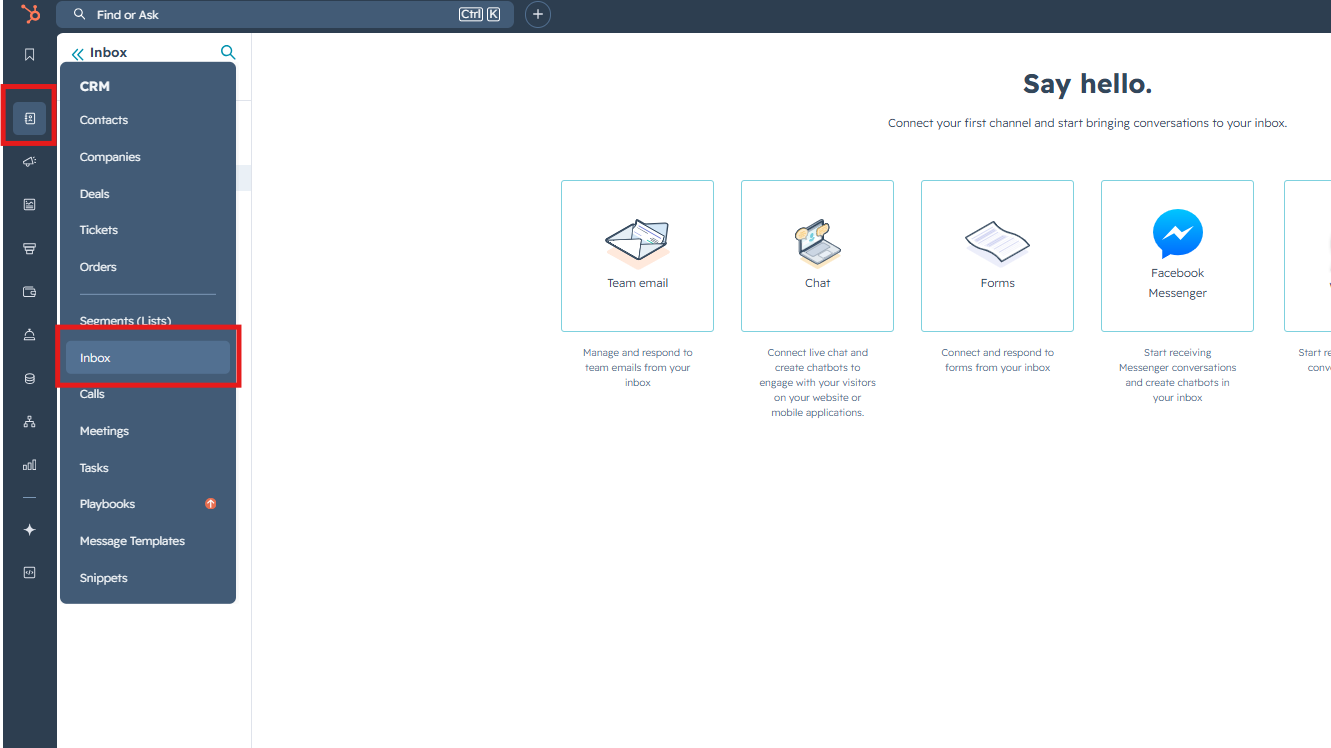
1. Go to the "Inbox"
2. Press "Compose" button and fill in data like this:
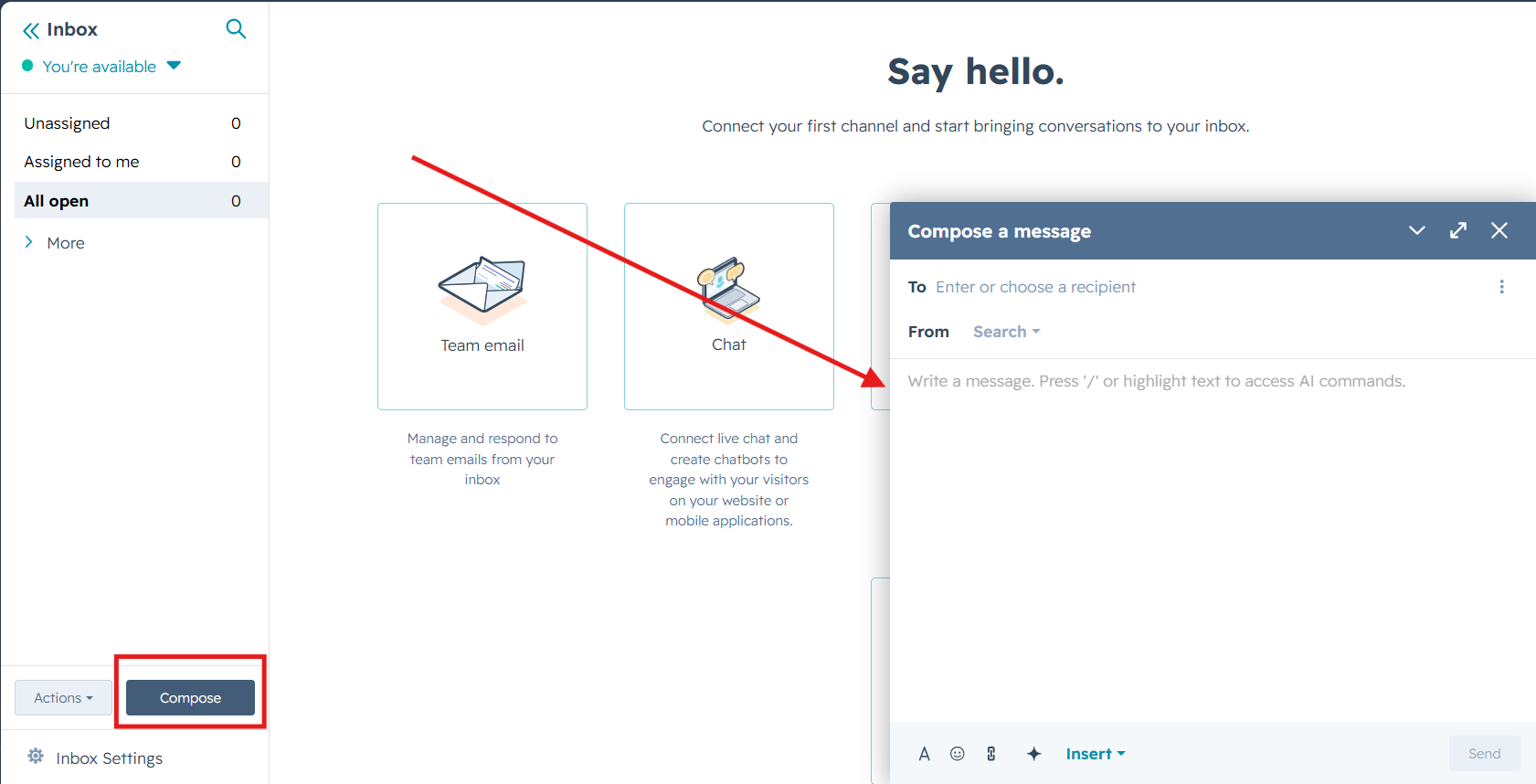
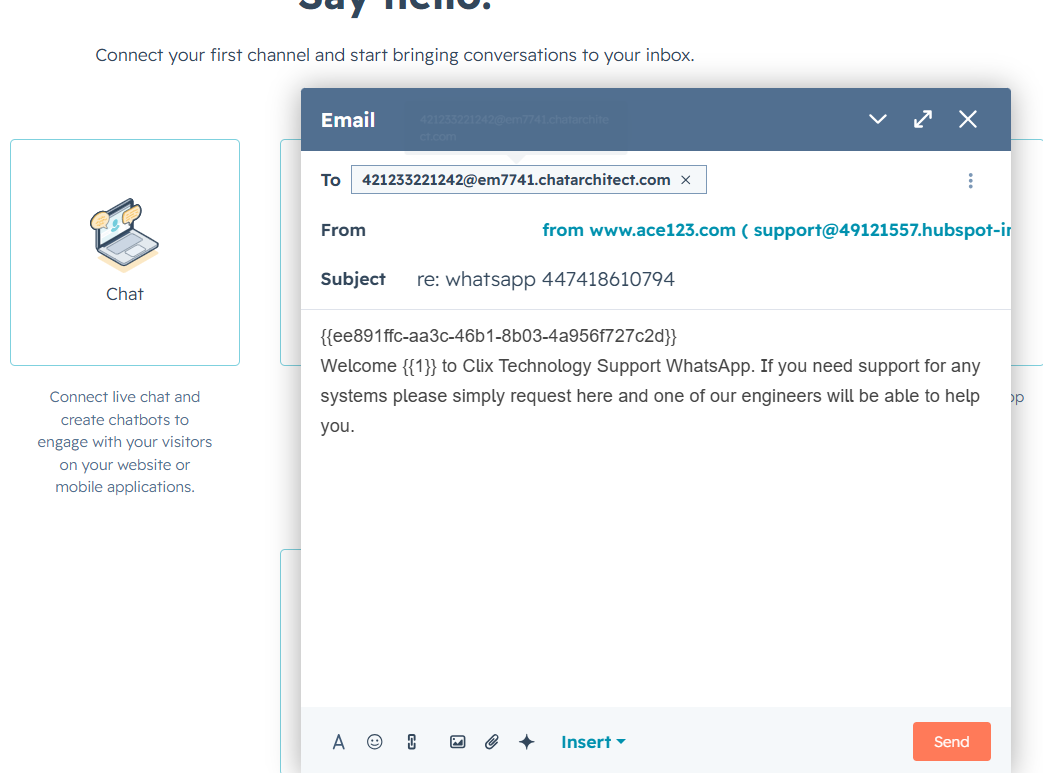
3. Fill in data like this:
To: phone number you are sending to + @em7741.chatarchitect.com (for example, 421233221242@em7741.chatarchitect.com )
From: DO NOT CHANGE
Subject: RE: whatsapp + WhatsApp Business API number ( for example, re: whatsapp 447418610794 )
Text field: copy a template from our app https://wtargeted.com/ and paste
3. Click "Send". A message will appear indicating that the sending has been completed.
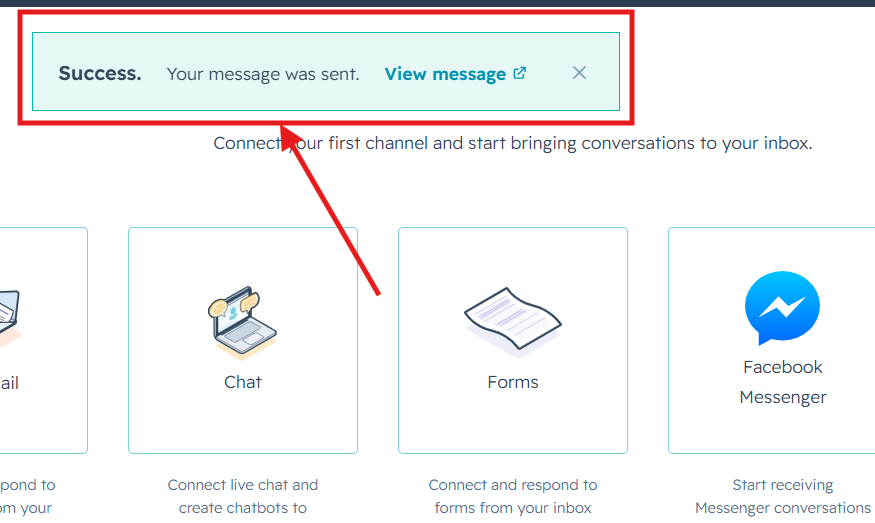
Done. Now you know how to send template messages from the HubSpot interface.